How to install gcc on Windows and Ubuntu
Translated from the Vietnamese original; wording may still be rough. Read the original →
1. What is GCC?
GCC is a compiler. It is a powerful compiler toolset widely used to compile source code from programming languages such as C, C++, Objective-C.., and many other languages into machine code (binary code that can run on the operating system).

2. On windows
On Windows we use MinGW. Go to the MinGW homepage to download the installer here .
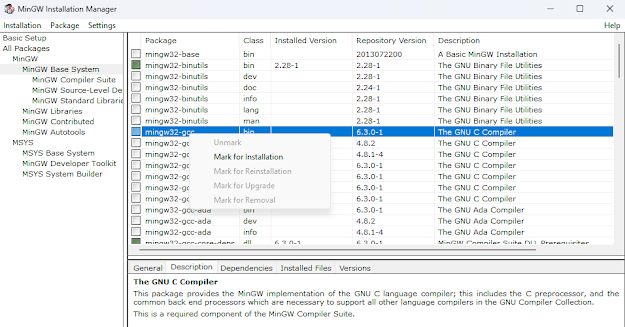
Once installation is finished, the MinGW Installation Manager window appears; right-click the following item under MinGW Base System, mingw32-gcc bin, and choose Mark for installation
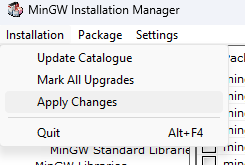
Then choose Installation on the toolbar, choose Apply Changes, then click Apply; MinGW will download the GCC components automatically
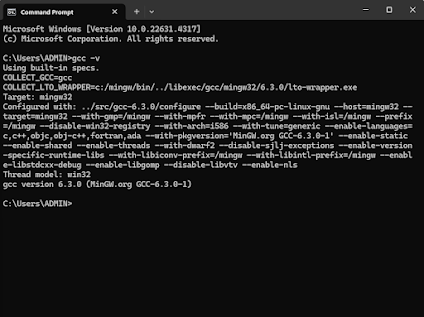
After it finishes, close it and check whether GCC is installed by typing the following command in Command Prompt
gcc -v
If the result looks like this, the installation succeeded
3. On Ubuntu
Installing gcc is much simpler; type the following command in the terminal
sudo apt-get install gcc
gcc -v
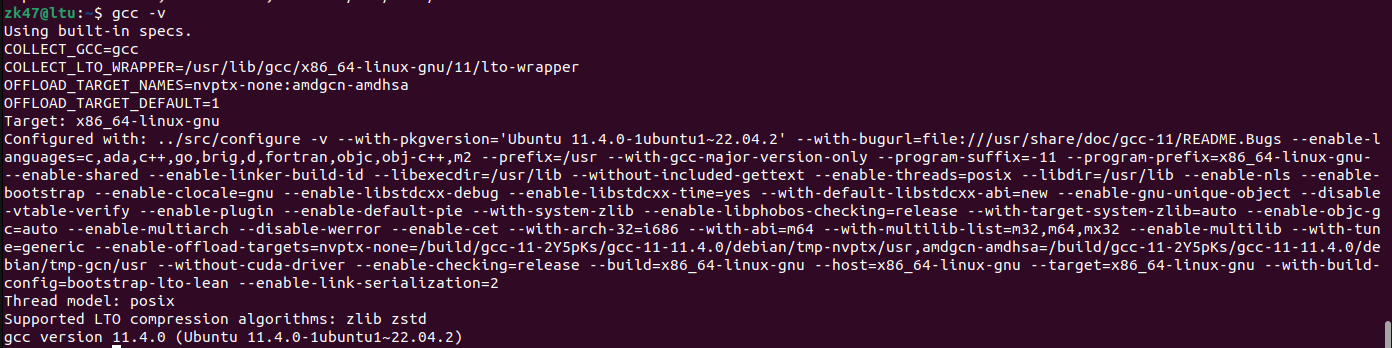
When this line appears, it is installed
If you want to get familiar with Ubuntu or other Linux distros without complicated setup, you can install Windows Subsystem for Linux on Windows.