[Android] 2. How to connect to the Raspberry Pi 4 with ADB (Android Debug Bridge)
Part of the series Android · 2/4
Translated from the Vietnamese original; wording may still be rough. Read the original →
1. Preparing the host

Obviously, adb has to be installed on the computer first. There are two ways: install the zip, or install the package with apt. I went with the second one:
sudo apt install adb
After installing, verify with adb version

2. Preparing the Raspberry Pi
Step 1: Connect the Pi and the computer with a USB Type-C cable through the power port.
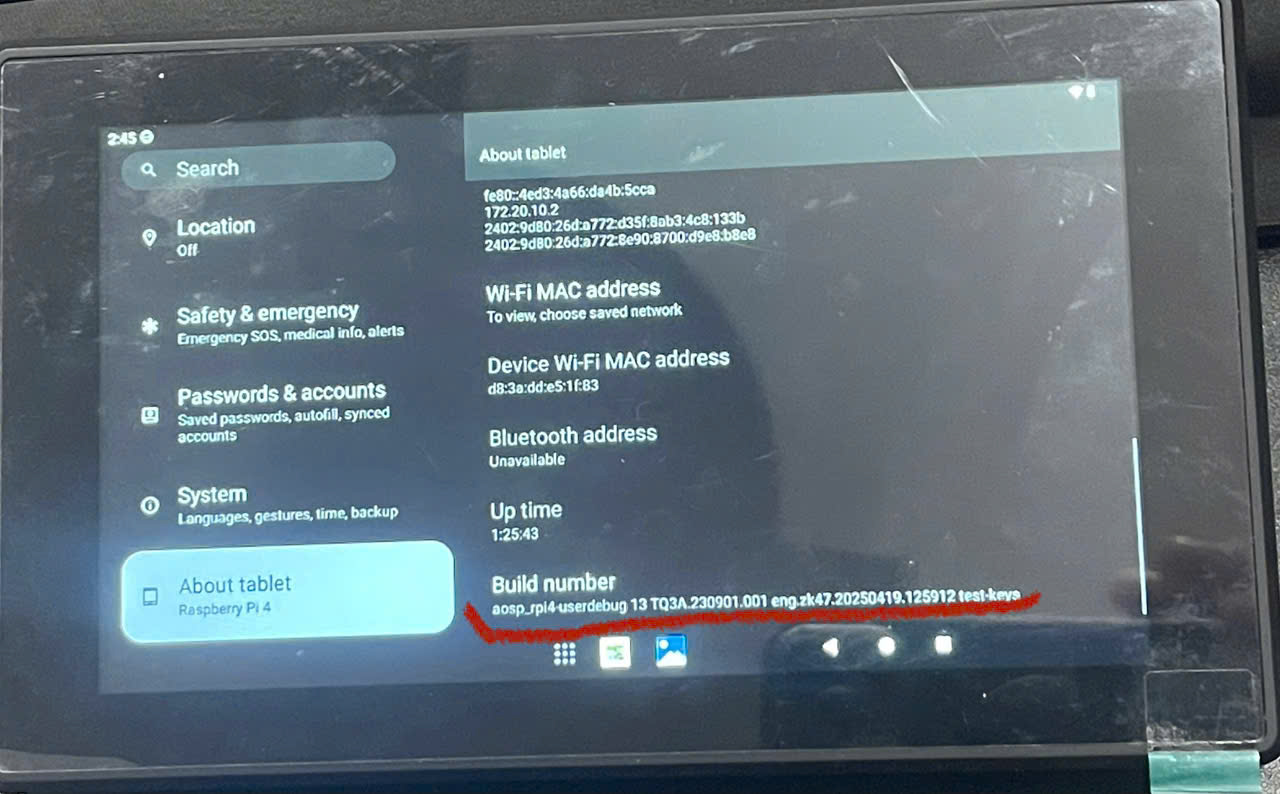
Step 2: Go to Settings, choose About Tablet, scroll to the bottom and tap Build number 8 times.
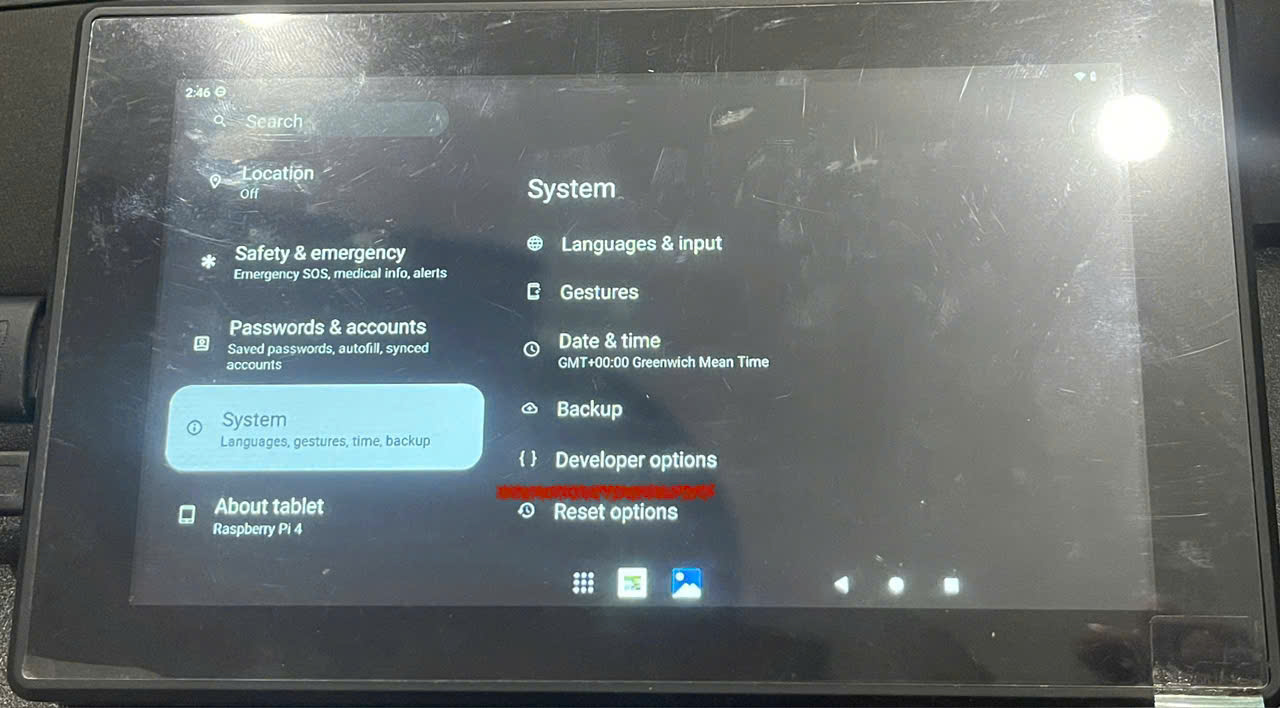
Step 3: Choose System, then Developer options.
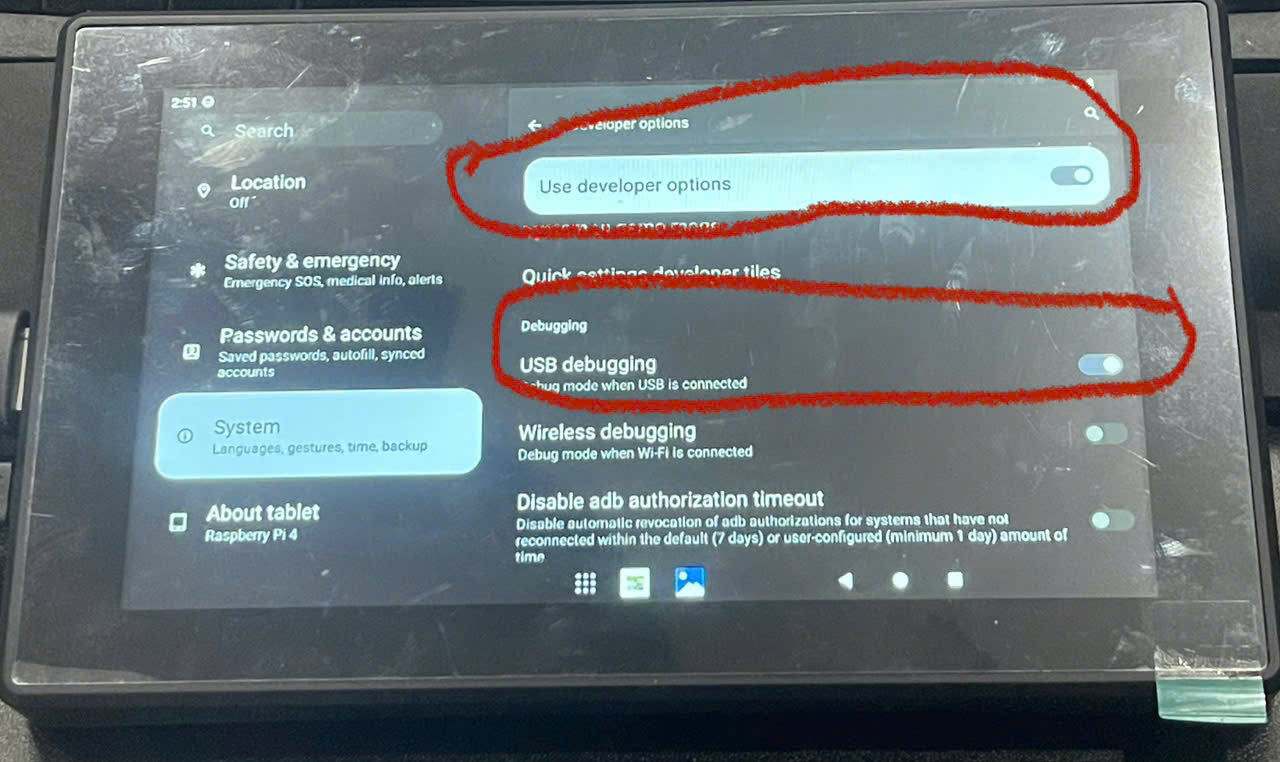
Step 4: Enable Use developer options and enable USB debugging.
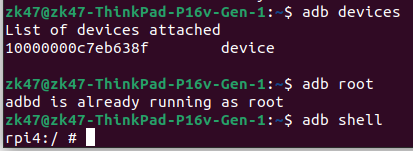
Step 5: On the computer, check with adb devices

The device is detected.
Step 6: Connect to the board and start using it: adb root, adb shell