[Android] 3. How to connect to the Raspberry Pi 4 over SSH
Translated from the Vietnamese original; wording may still be rough. Read the original →
Reference: https://gist.github.com/raveenb/ab3217798c827be889b83b584d70b08b
1. Preparing the host
Get adb connected to the board first, see [Android] 2. How to connect to the Raspberry Pi 4 with ADB (Android Debug Bridge) . Download termux.apk to get a terminal on the board: https://termux.en.download.it/android
On the host, type:
adb install <termux.apk>

2. Setting up on the board
Step 1: Open the Termux app on the board.
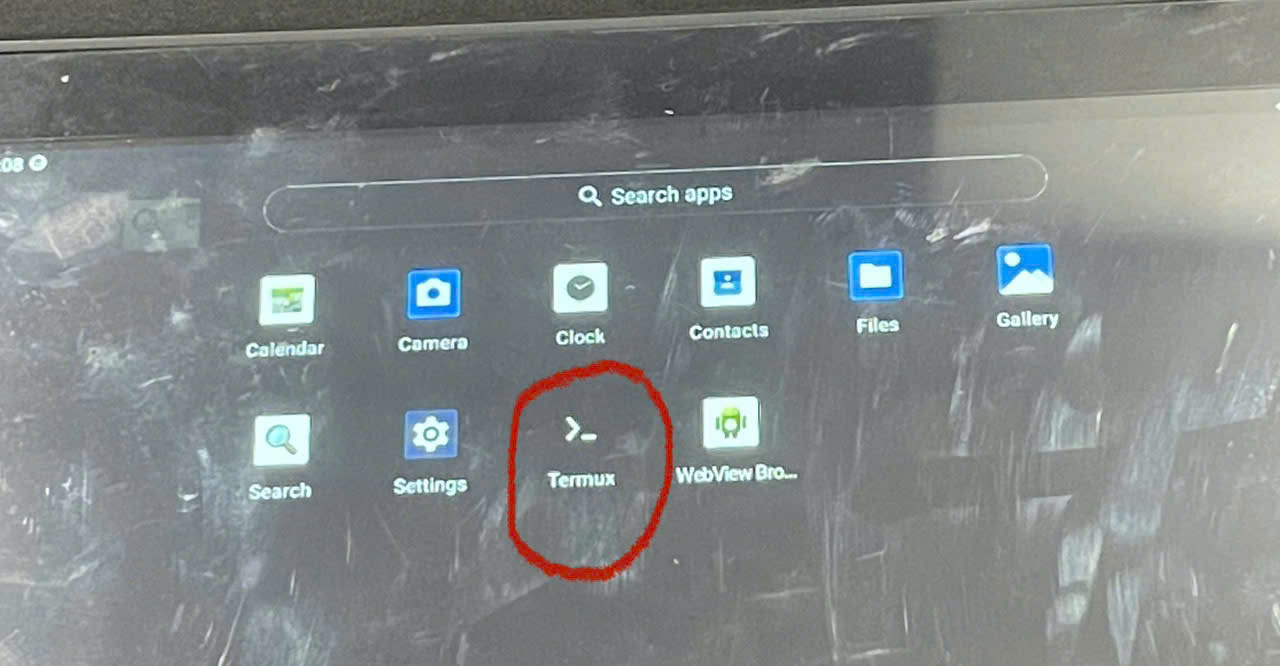
Step 2: In the Termux terminal, run these commands:
pkg install root repo pkg upgrade pkg install termux-services
Step 3: Set a password and start sshd:
passwd sshd
3. Connecting over ssh
Step 1: Connect both the host and the board to the same network.
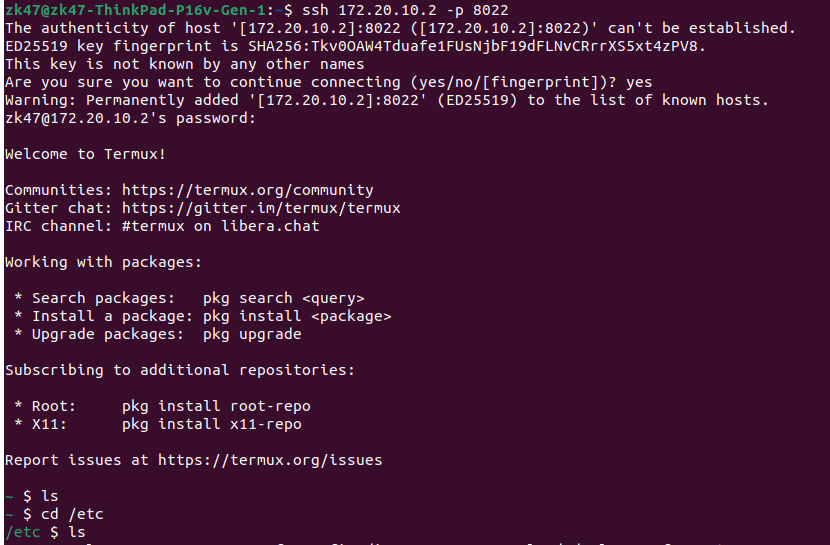
Step 2: Connect with ssh, enter the password, and you're done:
ssh -p 8022 <board-ip>