[BBB-Linux] 3. Beaglebone Black Boot Process - U-boot
Translated from the Vietnamese original; wording may still be rough. Read the original →
Continuing with the boot process on the BBB: u-boot.
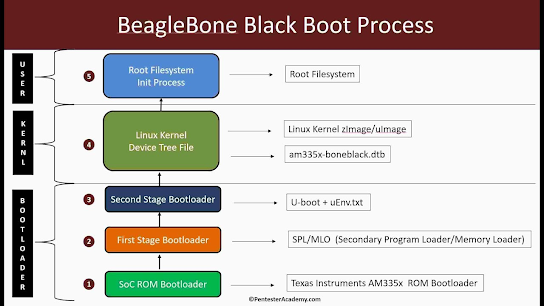
1. What is U-boot?
U-Boot (Universal Boot Loader) is an open-source bootloader that plays an important role in embedded systems running Linux. It is responsible for initialising the basic hardware and handing control over to the operating system kernel. Because it supports many platforms such as ARM, x86 and PowerPC, U-Boot is widely used in embedded software development. It also lets you configure the system environment before the kernel runs, helping the boot process be stable and flexible.
2. Configuring U-boot
After the MLO step, you will see this line

At this point we are in the U-boot Environment configuration stage; the content of such a file looks like this

- console sets up the uart debug log: which baud rate, which port
- ipaddr and serverip are the IP address and server IP used to load the kernel over ethernet via TFTP (Trivial File Transfer Protocol)
- loadaddr: variable holding the kernel load address
- fdtaddr: variable holding the Flattened Device Tree load address.
3. uImage and zImage
Once configured, U-boot looks for the uImage. Its structure looks like this
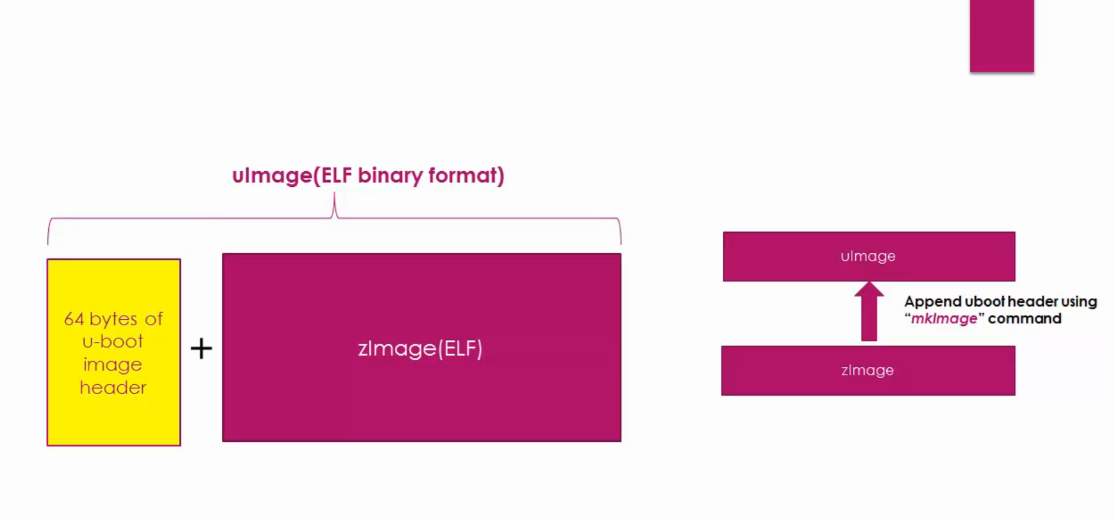
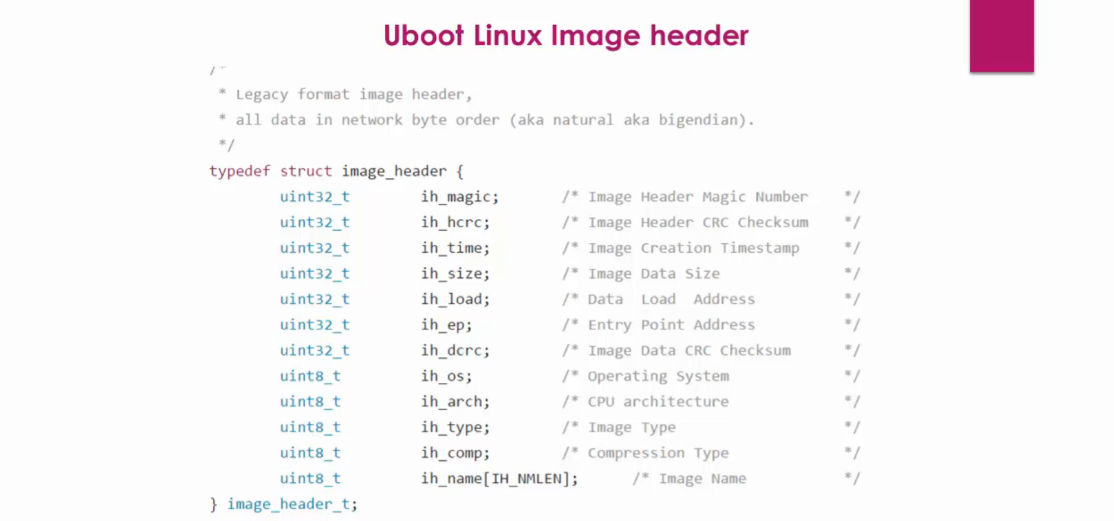
Then uImage finishes some of U-boot's remaining work, such as
- Initialise peripherals for all boot options, ready to load the kernel
- Load the kernel into DDR memory
- Pass boot arguments to the kernel
- Start the kernel
Then uImage finishes some of U-boot's remaining work, such as
Initialise peripherals for all boot options, ready to load the kernel
Load the kernel into DDR memory
Pass boot arguments to the kernel
Start the kernel
Okay, by the end of this post you have the basics of the boot steps on the Beaglebone Black; continue with the [Boot-BBB] series!!