[BBB-Linux] 1. Beaglebone Black Boot Process Overview
Part of the series BBB-Linux · 1/4
Translated from the Vietnamese original; wording may still be rough. Read the original →
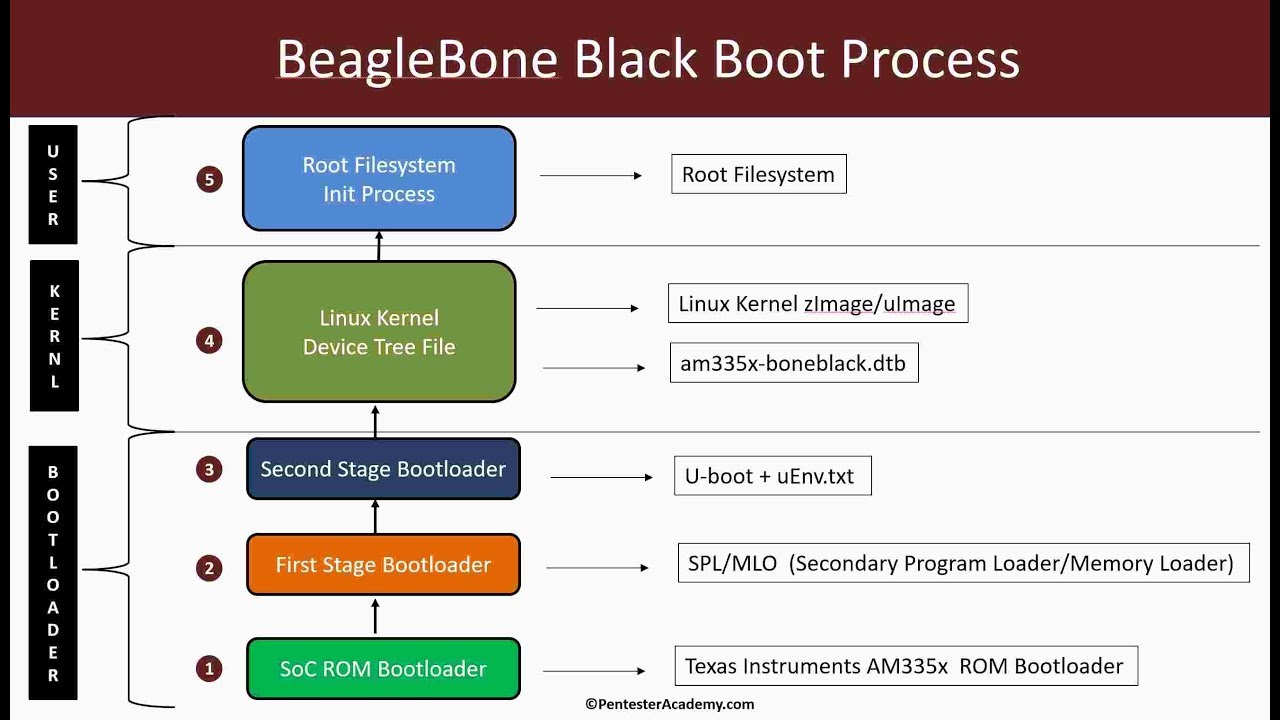
The overview consists of 5 stages as shown in the picture; let's go deeper into each stage.
1. SoC ROM Bootloader
- RBL (ROM Bootloader): this is written by the vendor, i.e. the chip maker; its content cannot be replaced
- It is the first piece of code that runs when the board powers up
- Its main job is to run the next block, the First Stage Bootloader (SPL/MLO)
2. First Stage Bootloader (SPL/MLO)
SPL: Secondary Program Loader
MLO: Memory Loader
- Its main job is to configure RAM, clocks and external peripherals, and to load the main bootloader (U-boot, Grub …)
- Some SPLs also implement security features such as signature verification (secure boot)
- Select the boot mode
The Beaglebone Black has many possible boot sources. The priority order depends on whether button S2 is pressed at power-up.
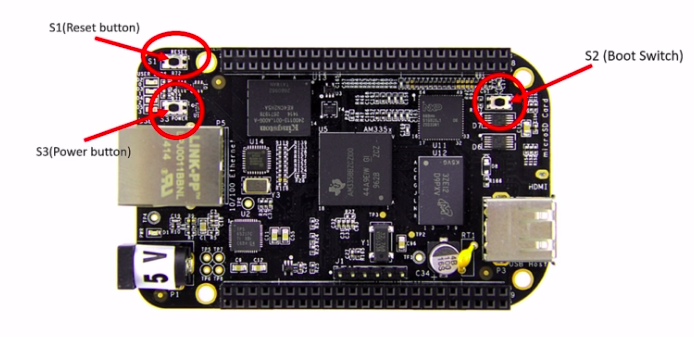
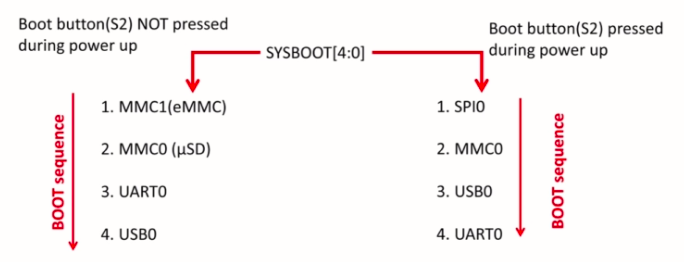
You can read more about this in the BeagleBone Black Reference Manual
Table 26-7. SYSBOOT Configuration Pins[4]
3. Second Stage Bootloader (U-boot + uEnv.txt)
- Initialise peripherals for all boot options: I2C, NAND, Flash, … ready to load the kernel image
- Load the kernel image: load the image into DDR memory
- Pass boot arguments to the kernel
- U-boot can be reconfigured with the uEnv.txt file
- U-boot always looks for uImage
4. Linux Kernel
- Parse the boot arguments from u-boot
- Use the Device Tree Blob/Binary (DTB) to understand the hardware layout of the system
- Mount the Root File System
- Run the "init" process, the first process, PID 1
5. Root Filesystem, Init Process
The root filesystem is the file system mounted at root (/)
A file system is a set of files organised according to a standard structure; here it is the Linux File System.
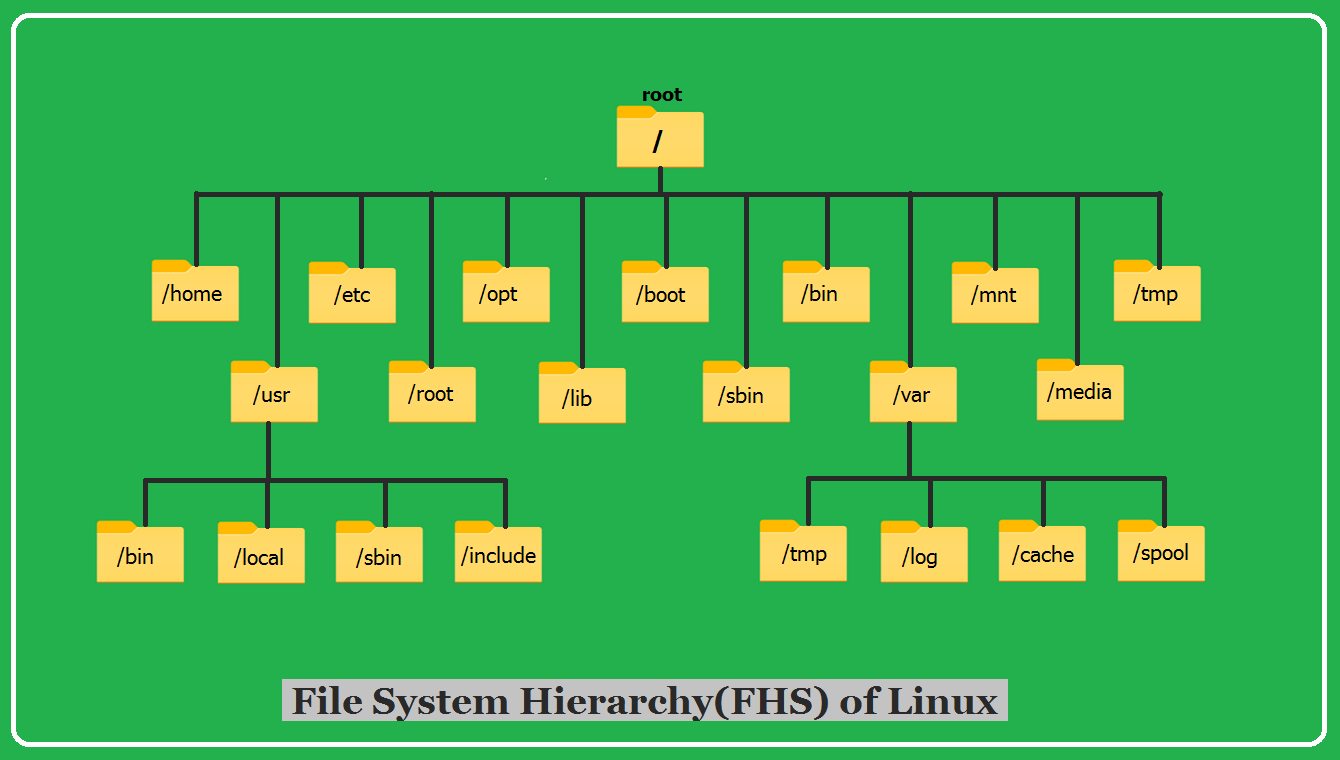
That is the overview of the BBB boot process; for each item above I will write posts that dig deeper.