[Yocto-BBB] 3. Adding a password for the user
Translated from the Vietnamese original; wording may still be rough. Read the original →
In the previous 2 posts we did not set a password for the root user. In this post I add a password (since there is no sudo, I add it for root :v)
(If you run into difficulties following the blog, you can refer to my hands-on video at the end of the post)
1. Documentation from the Yocto Reference Manual
According to the Yocto Reference Manual , section 7.38
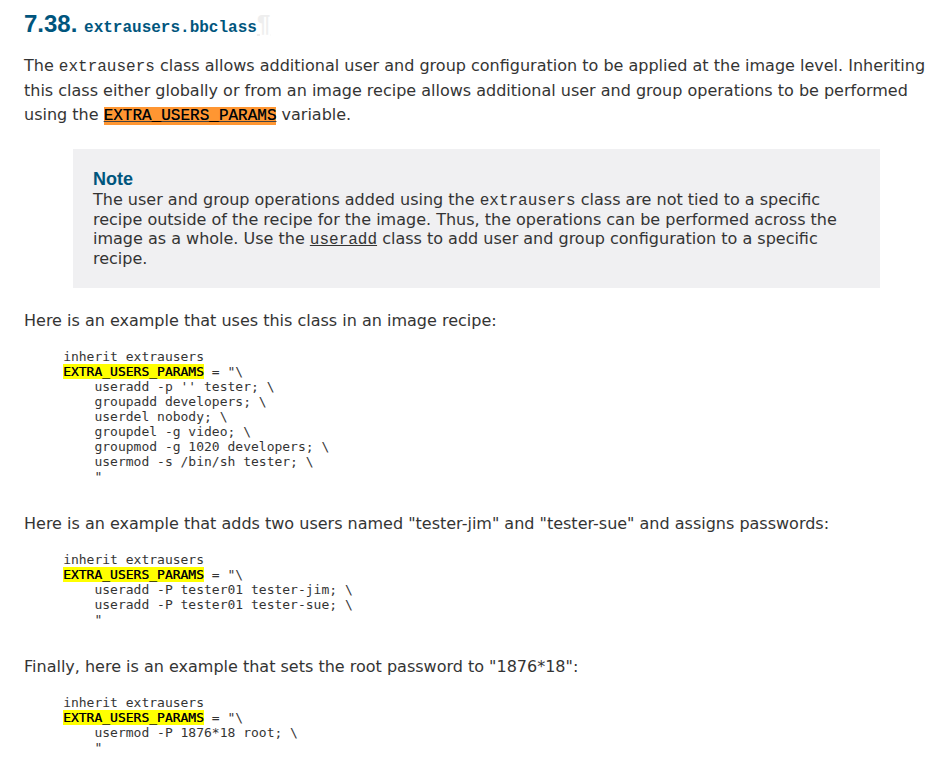
We can use usermod and useradd in the EXTRA_USER_PARAMS variable to add users or set a password for a user.
To do this we need to inherit the extrausers class. We are currently building core-image-minimal, so we need to create a bbappend for that very recipe
2. Create core-image-minimal.bbappend
First we need to know where core-image-minimal.bb is, so we can create the right folder structure
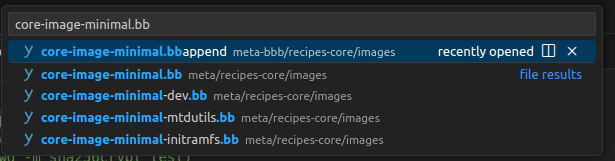
Typing in the search bar we get meta/recipes-core/images
As described in the previous post about bitbake append, we need to create our own meta-layer so it is easy to change and override the original bitbake recipes when needed; here it is for the beaglebone black board, so I create meta-bbb
2.1 Create the meta-bbb meta layer
bitbake-layers create-layers meta-bbb
bitbake-layers add-layers meta-bbb
- create-layer creates a layer from a template, with a structure like the following
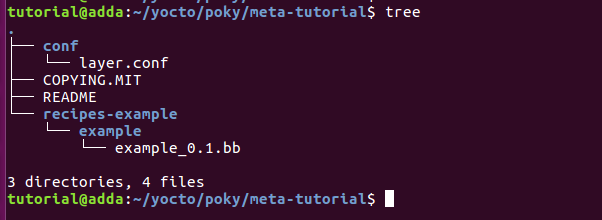
- add-layer adds the newly created layer to the bblayers.conf file
2.2 Create recipes-core and add core-image-minimal
After meta-bbb is created successfully, we create the recipes-core/image folder with the following structure
zk47@zk47-ltu:~/Learning/poky/meta-bbb/recipes-core$ tree
.
├── images
│ └── core-image-minimal.bbappend
The content of core-image-minimal.bbappend matches the description in the Reference Manual
# User "root" has password set to "test" in the image.
# printf "%q" $(mkpasswd -m sha256crypt test)
# \$5\$1ywTDE4jLgPDskTp\$yK5Ap.2xjc5gYeFQ4MGvR6C0VzA4VDSMIFkQ5.TJO84
inherit extrausers
PASSWD = "\$5\$y9Aeg5ctwntRHo/g\$CAKtoTfQg7VPGfVAMGo5ZG/0GJLn3AD0JdoQ.i0dDFC"
EXTRA_USERS_PARAMS = "\
    usermod -p '${PASSWD}' root; \
    "
Here I don't set the password directly; I hash it with sha256 first (User: root, Password: test)
I pushed this meta-bbb to github https://github.com/Zk47T/meta-bbb , you can have a look; after cloning, remember to add it to bblayers.conf
bitbake-layers add-layers ../meta-bbb
The content of bblayers.conf is as follows
# POKY_BBLAYERS_CONF_VERSION is increased each time build/conf/bblayers.conf
# changes incompatibly
POKY_BBLAYERS_CONF_VERSION = "2"
BBPATH = "${TOPDIR}"
BBFILES ?= ""
BBLAYERS ?= " \
  /home/zk47/Learning/poky/meta \
  /home/zk47/Learning/poky/meta-yocto-bsp \
  /home/zk47/Learning/poky/meta-openembedded/meta-oe \
  /home/zk47/Learning/poky/meta-arm/meta-arm-toolchain \
  /home/zk47/Learning/poky/meta-arm/meta-arm \
  /home/zk47/Learning/poky/meta-ti/meta-ti-bsp \
  /home/zk47/Learning/poky/meta-ti/meta-ti-extras \
  /home/zk47/Learning/poky/meta-bbb \
"
2.3 Rebuild and connect over UART
Note that whenever you change a recipe through a bbappend, or change a bb file, you should cleansstate it before building. This deletes its build output in build-bbb
bitbake -c cleansstate core-image-minimal
bitbake core-image-minimal

So the setup succeeded
--> However, one thing I don't find pretty is the Poky (Yocto Project Reference Distro) text it shows. I want to change that next.
--> Look out for post 4, where I change the Distro Description as well as the Banner to make the login screen nicer, similar to the following Orange Pi example