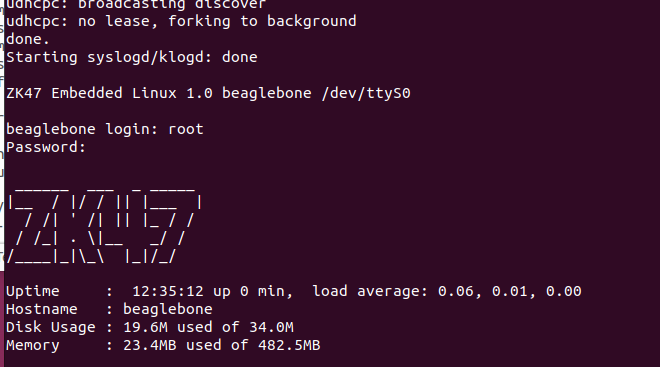
[Yocto-BBB] 4. Changing the Distro Description
Translated from the Vietnamese original; wording may still be rough. Read the original →
As mentioned in the previous post, the goal of this post is to change the distro description from "Poky (Yocto Project Reference Distro)" to a custom line of my own
Changing the Distro Description
First, let's find which file in the poky repo contains this text once the image is built
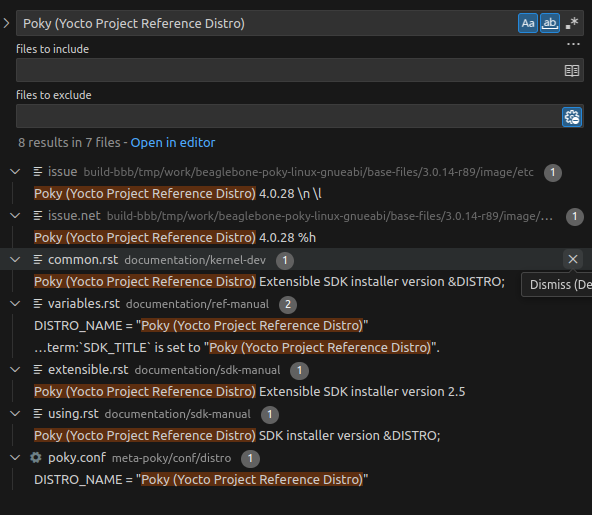
In the actual flow, DISTRO_NAME from meta-poky/conf/distro/poky.conf is passed into issue.net. In the original repo, issue and issue.net are empty; you can check at
https://github.com/yoctoproject/poky/blob/scarthgap/meta/recipes-core/base-files/base-files/issue
Besides DISTRO_NAME, DISTRO_VERSION (4.0.28) is also passed into issue.net; then issue.net is appended to issue and installed into the system at /etc/issue
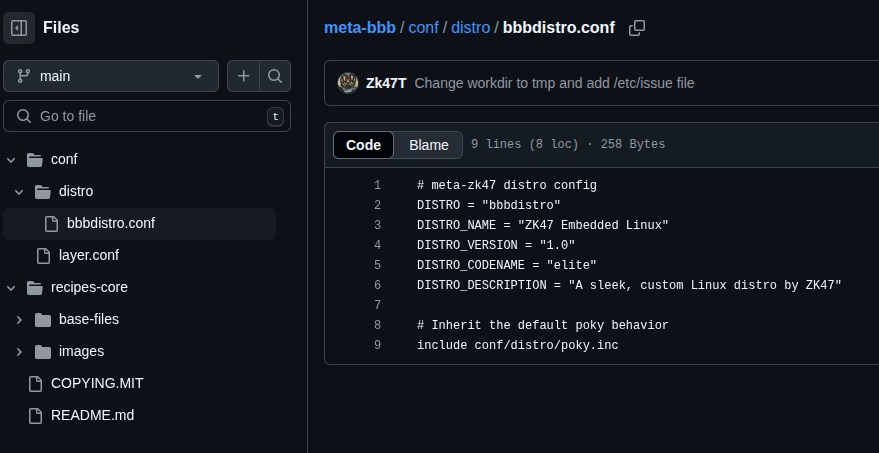
1. Create conf/distro
We create the ./conf/distro folder content as follows
zk47@zk47-ltu:~/Learning/poky/meta-bbb$ tree
.
├── conf
│ ├── distro
│ │ └── bbbdistro.conf
│ └── layer.conf
The bbbdistro.conf file contains
# meta-zk47 distro config
DISTRO = "bbbdistro"
DISTRO_NAME = "ZK47 Embedded Linux"
DISTRO_VERSION = "1.0"
DISTRO_CODENAME = "elite"
DISTRO_DESCRIPTION = "A sleek, custom Linux distro by ZK47"

# Inherit the default poky behavior
include conf/distro/poky.inc
Note that the value of the DISTRO variable must match the conf file name (bbbdistro)
2. Set DISTRO in conf/local.conf
Then we set DISTRO in ./build-bbb/conf/local.conf to bbbdistro
zk47@zk47-ltu:~/Learning/poky/build-bbb$ cat ./conf/local.conf | grep "DISTRO = "
DISTRO = "bbbdistro"
For the folder structure, you can refer to the meta-bbb I pushed to github https://github.com/Zk47T/meta-bbb
3. Rebuild and check the information
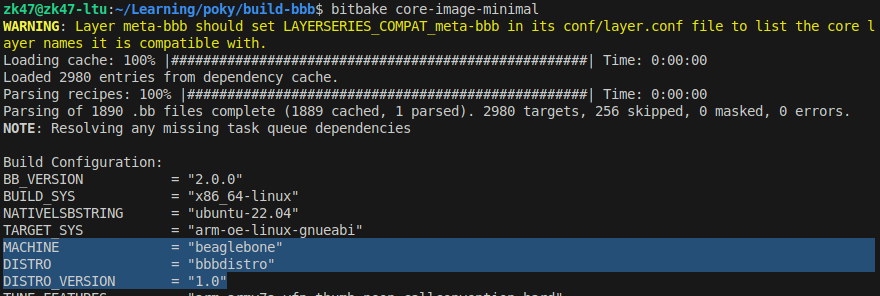
bitbake -c cleanall core-image-minimal
bitbake core-image-minimal
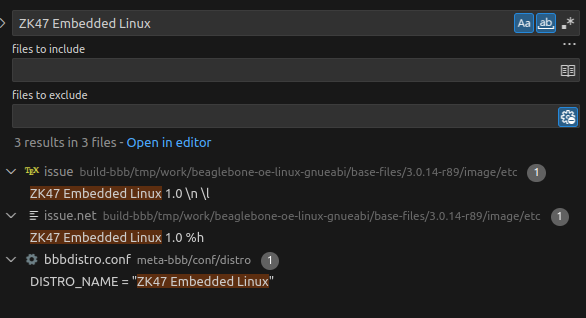
We see that DISTRO and DISTRO_VERSION have changed to what we set in bbbdistro.conf
Rebuild and check: the content of the issue.net and issue files has clearly changed
One note: after changing the distro, the output image is no longer in the old location; we check with
zk47@zk47-ltu:~/Learning/poky/build-bbb$ bitbake -e core-image-minimal | grep "^WORKDIR"
WORKDIR="/home/zk47/Learning/poky/build-bbb/tmp/work/beaglebone-oe-linux-gnueabi/core-image-minimal/1.0-r0"
A small trick (ls -al) to avoid copying the wrong file: I always check the build time after entering the folder. Sometimes Bitbake still keeps state, so the image is not rebuilt.
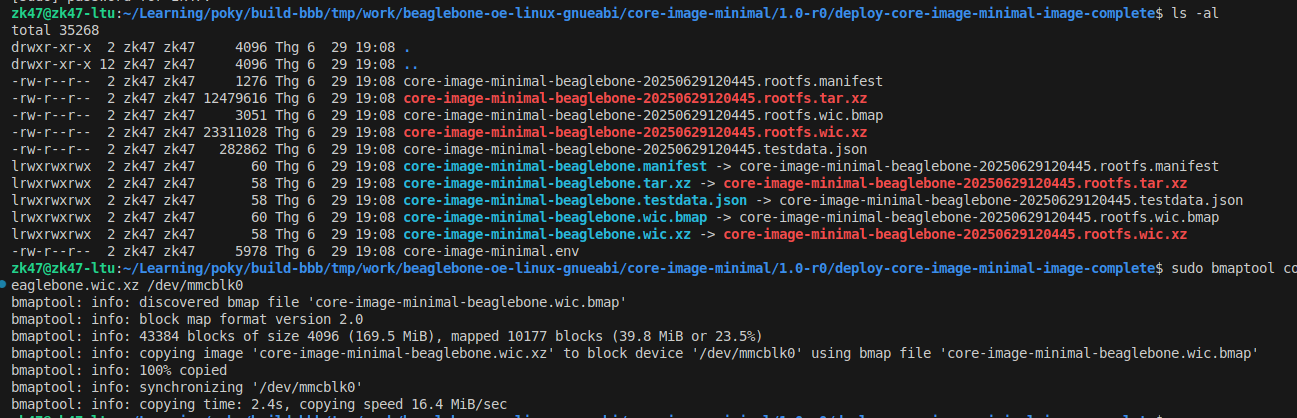
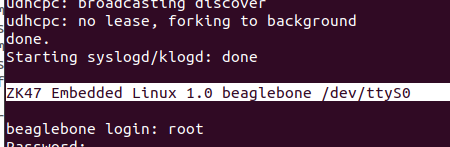
Flash the SD card again with the new image and power up the board
---> In the next post I will show you how to change the banner after login, and how to install a file onto the board.