[Boot-BBB] 3. Compile the Linux Kernel and configure u-boot automatically
Translated from the Vietnamese original; wording may still be rough. Read the original →
In the previous post we stopped at the missing u-boot configuration. In this post we compile the kernel and add a uboot.env configuration file so the bootloader runs properly.
1. Fetch the kernel code and compile
1.1 Clone the source code
It takes quite a while, so grab a snack, drink some coffee, chill, and come back to check later. When I cloned it, it was 5.1 Gb
zk47@ltu:~/Learning/Bootlin_practice/linux$ du -sh .
5,1G    .
1.2 Fetch a stable version
Okay, go into the linux folder; this is a release version, so to build safely we fetch the stable version
cd linux
git remote add stable https://git.kernel.org/pub/scm/linux/kernel/git/stable/linux
git fetch stable
Check the branches, then pick the latest stable version
zk47@ltu:~/Learning/Bootlin_practice/linux$ git branch -a
...
  remotes/stable/linux-6.8.y
  remotes/stable/linux-6.9.y
  remotes/stable/linux-rolling-lts
  remotes/stable/linux-rolling-stable
  remotes/stable/master
Here I pick linux-6.9.y
zk47@ltu:~/Learning/Bootlin_practice/linux$ git checkout remotes/stable/linux-6.9.y
1.3 Configure the kernel, make the zImage and device tree file
First we add the toolchain built in part 1 to PATH
export PATH=$HOME/x-tools/arm-training-linux-uclibcgnueabihf/bin:$PATH

export ARCH=arm
export CROSS_COMPILE=arm-linux-
Then we open menuconfig and configure
make menuconfig
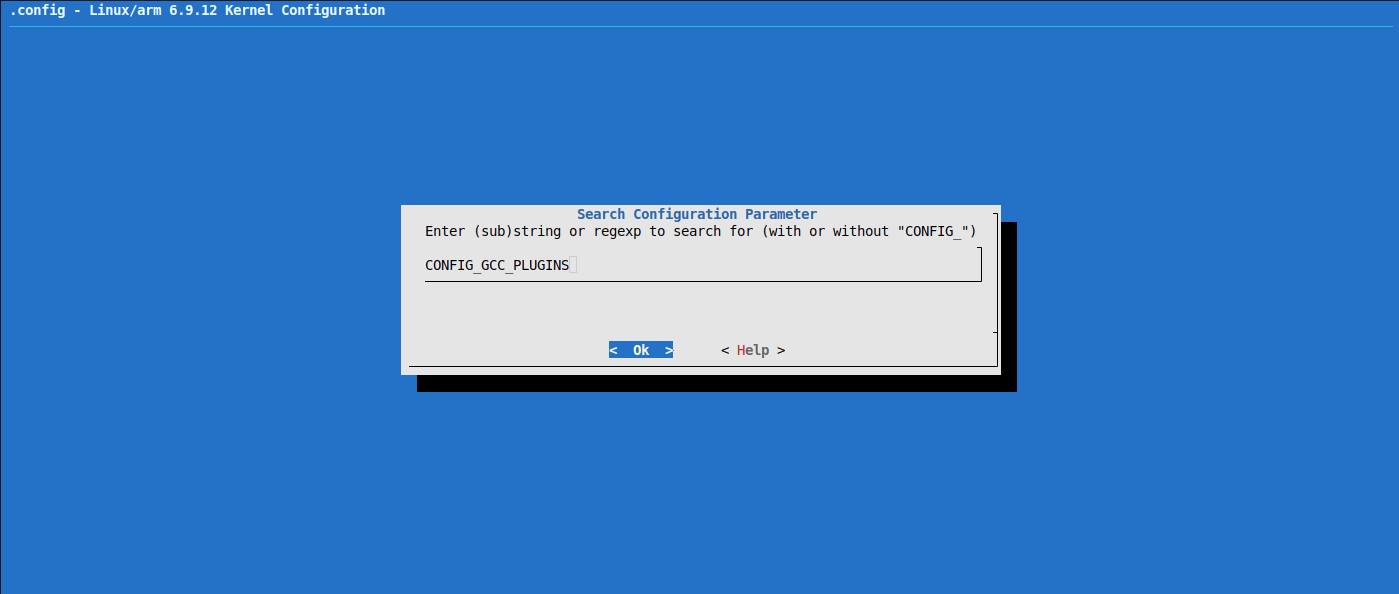
Following Bootlin's suggestion, we turn off CONFIG_GCC_PLUGINS.
Press "/" then search for the term (if you are used to "vi" on linux, working with menuconfig is quite similar)
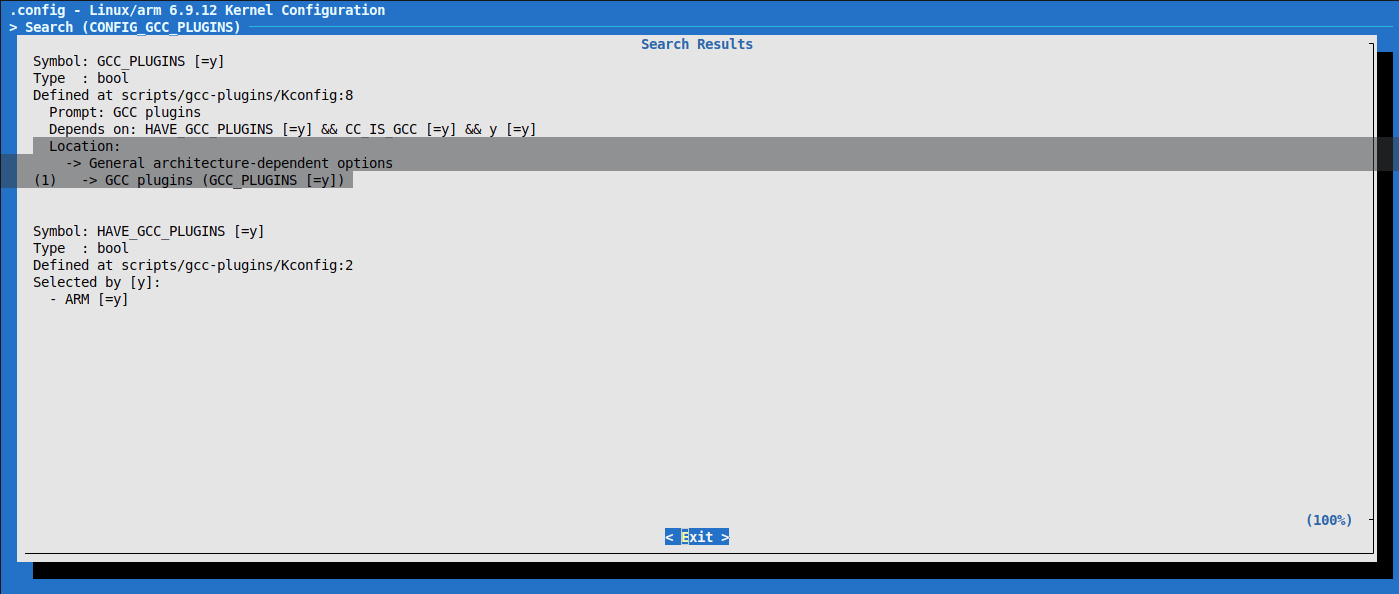
So the location is
Location: │
│ -> General architecture-dependent options │
│ (1) -> GCC plugins (GCC_PLUGINS [=y])
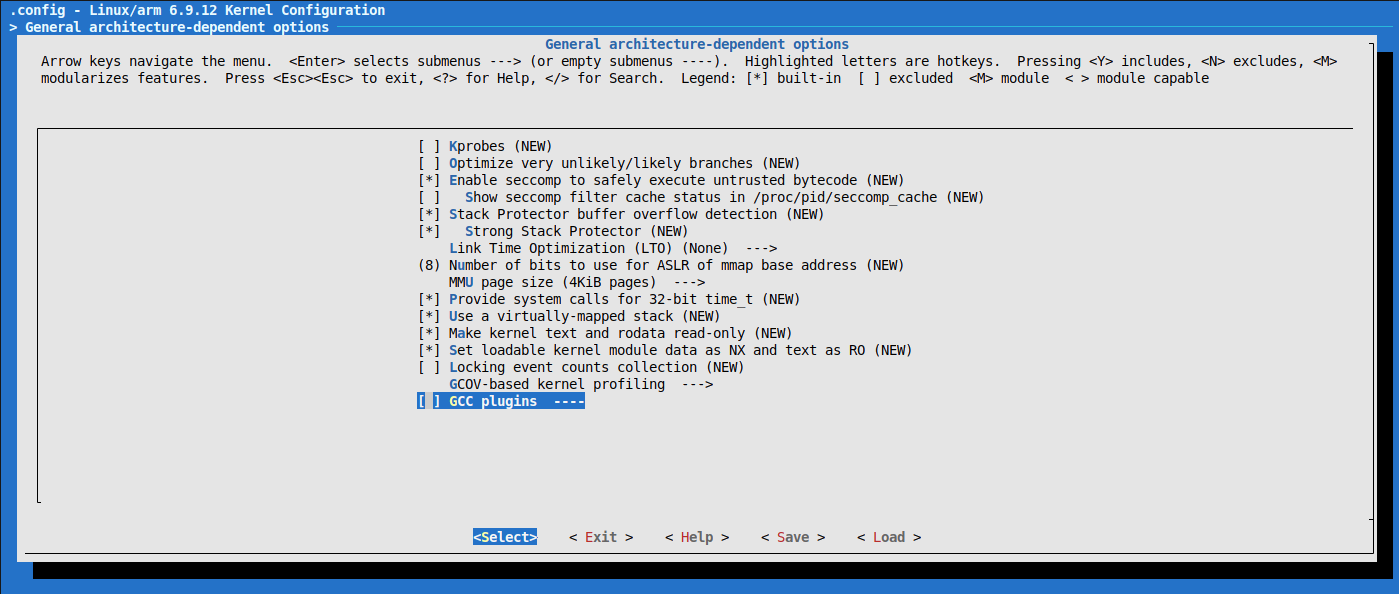
(Press space to deselect * built-in)
Okay, let's make (-jn: set n lower than the number of threads on your machine. Mine has 14 cores, 20 threads, so I use -j18)
make zImage -j18
make dtbs
If during the build you run out of RAM, the machine chokes and restarts (or you simply close the terminal), then when you run it again do the following steps
make mrproper
export ARCH=arm
export CROSS_COMPILE=arm-training-linux-uclibcgnueabihf-
make menuconfig #Turn the GCC option off
make zImage -jn
make dtbs
Okay, getting here means success; the results are in arch/arm/boot/zImage and arch/arm/boot/dts/ti/omap/
  LD      arch/arm/boot/compressed/vmlinux
  OBJCOPY arch/arm/boot/zImage
  Kernel: arch/arm/boot/zImage is ready
zk47@ltu:~/Learning/Bootlin_practice/linux$ find . -name "zImage"
./arch/arm/boot/zImage
zk47@ltu:~/Learning/Bootlin_practice/linux$ find . -name "am335x-boneblack.dtb"
./arch/arm/boot/dts/ti/omap/am335x-boneblack.dtb
2. Test the zImage and dtb
2.1 Copy zImage and am335x-boneblack.dtb to the SD card
Copy the zImage and am335x-boneblack.dtb files to the boot partition on the SD card
zk47@ltu:~/Learning/Bootlin_practice/linux$ sudo cp ./arch/arm/boot/dts/ti/omap/am335x-boneblack.dtb ./arch/arm/boot/zImage /media/zk47/boot/
zk47@ltu:/media/zk47/boot$ tree
.
├── am335x-boneblack.dtb
├── MLO
├── u-boot.img
└── zImage

0 directories, 4 files
2.2 Working in u-boot
I will create the env file later; for now I do it by hand. Follow these commands, I explain them below
Press Space when you see the log line Hit any key to stop autoboot. We get into the u-boot terminal
U-Boot 2023.01 (Sep 18 2025 - 23:22:33 +0700)

CPU  : AM335X-GP rev 2.1
Model: TI AM335x BeagleBone Black
DRAM:  512 MiB
Core:  160 devices, 18 uclasses, devicetree: separate
WDT:   Started wdt@44e35000 with servicing every 1000ms (60s timeout)
NAND:  0 MiB
MMC:   OMAP SD/MMC: 0, OMAP SD/MMC: 1
Loading Environment from FAT... Unable to read "uboot.env" from mmc0:1...
 not set. Validating first E-fuse MAC
Net:   eth2: ethernet@4a100000, eth3: usb_ether
Hit any key to stop autoboot:
=>
=> setenv bootargs console=ttyS0,115200n8
=> saveenv
- Enable UART to get the debug log, save the environment (save env)
=> fatload mmc 0:1 0x80200000 zImage
=> fatload mmc 0:1 0x80f00000 am335x-boneblack.dtb
- Load a file from fat: fatload
- mmc: type of storage
- 0:1: mmc0, partition 1
- 0x80200000: destination address
- zImage: file name
=> bootz 0x80200000 - 0x80f00000
- bootz: U-Boot command to boot a
zImage - 0x80200000: address of the kernel image in RAM
-: rootfs initrd (initramfs) → there is none here, so it is a dash.- 0x80f00000: address of the DTB (Device Tree Blob) or FDT (Flattened Device Tree)
If you don't know what this command is, type
=> help bootz
bootz - boot Linux zImage image from memory

Usage:
bootz [addr [initrd[:size]] [fdt]]
    - boot Linux zImage stored in memory
	The argument 'initrd' is optional and specifies the address
	of the initrd in memory. The optional argument ':size' allows
	specifying the size of RAW initrd.
	When booting a Linux kernel which requires a flat device-tree
	a third argument is required which is the address of the
	device-tree blob. To boot that kernel without an initrd image,
	use a '-' for the second argument. If you do not pass a third
	a bd_info struct will be passed instead
Okay, after the bootz command runs, the kernel starts, but there is no root file system yet, so we get the following Kernel Panic
[    3.540038] Kernel panic - not syncing: VFS: Unable to mount root fs on unknown-block(0,0)
[    3.548350] CPU: 0 PID: 1 Comm: swapper/0 Not tainted 6.9.12 #1
[    3.554307] Hardware name: Generic AM33XX (Flattened Device Tree)
[    3.560434] Call trace:
[    3.560456]  unwind_backtrace from show_stack+0x10/0x14
[    3.568289]  show_stack from dump_stack_lvl+0x50/0x64
[    3.573387]  dump_stack_lvl from panic+0x10c/0x368
[    3.578222]  panic from mount_root_generic+0x1d4/0x278
[    3.583416]  mount_root_generic from prepare_namespace+0x1fc/0x258
[    3.589648]  prepare_namespace from kernel_init+0x1c/0x12c
[    3.595184]  kernel_init from ret_from_fork+0x14/0x28
[    3.600276] Exception stack(0xe0009fb0 to 0xe0009ff8)
[    3.605362] 9fa0:                                     00000000 00000000 00000000 00000000
[    3.613586] 9fc0: 00000000 00000000 00000000 00000000 00000000 00000000 00000000 00000000
[    3.621807] 9fe0: 00000000 00000000 00000000 00000000 00000013 00000000
[    3.628470] ---[ end Kernel panic - not syncing: VFS: Unable to mount root fs on unknown-block(0,0) ]---
To make the next post easier, I will save these environment settings in a file.
- uboot.env: in the previous post we saw u-boot complain that uboot.env was not found. But this file is binary, so it is hard to edit when needed.
- uEnv.txt: a text file, easy to modify when needed.
2.3 Create a uEnv.txt file for u-boot
I plug the SD card back into the computer and write down the commands I ran above at boot. U-boot will find uEnv.txt by itself and run the commands in it
zk47@ltu:/media/zk47/boot$ touch uEnv.txt
zk47@ltu:/media/zk47/boot$ vi uEnv.txt
zk47@ltu:/media/zk47/boot$ cat uEnv.txt
bootargs=console=ttyO0,115200n8 root=/dev/mmcblk0p2 rw rootfstype=ext4 rootwait

loadzimage=fatload mmc 0:1 0x80200000 zImage
loadfdt=fatload mmc 0:1 0x80F00000 am335x-boneblack.dtb

uenvcmd=run loadzimage
Okay, and booting again: the uboot.env error is gone, but it still doesn't boot
U-Boot 2023.01 (Sep 18 2025 - 23:22:33 +0700)

CPU  : AM335X-GP rev 2.1
Model: TI AM335x BeagleBone Black
DRAM:  512 MiB
Core:  160 devices, 18 uclasses, devicetree: separate
WDT:   Started wdt@44e35000 with servicing every 1000ms (60s timeout)
NAND:  0 MiB
MMC:   OMAP SD/MMC: 0, OMAP SD/MMC: 1
Loading Environment from FAT... OK
Net:   eth2: ethernet@4a100000, eth3: usb_ether
Hit any key to stop autoboot:  0
switch to partitions #0, OK
mmc0 is current device
Scanning mmc 0:1...
70308 bytes read in 9 ms (7.5 MiB/s)
Working FDT set to 88000000
No EFI system partition
BootOrder not defined
EFI boot manager: Cannot load any image
switch to partitions #0, OK
mmc1(part 0) is current device
Scanning mmc 1:1...
Working FDT set to 88000000
BootOrder not defined
EFI boot manager: Cannot load any image
## Error: "bootcmd_nand0" not defined
From what I found, newer u-boot versions need extlinux/extlinux.conf. https://forum.beagleboard.org/t/boot-process-of-custom-build-getting-stuck/38716
2.4 Create the extlinux/extlinux.conf file
Pull the SD card out again, create the boot/extlinux folder and the extlinux.conf file inside it
With the following content
zk47@ltu:/media/zk47/boot/extlinux$ cat extlinux.conf
# BeagleBone Black boot config (extlinux.conf)

LABEL bbb
    KERNEL /zImage
    FDT /am335x-boneblack.dtb
    APPEND root=/dev/mmcblk0p2 rw rootfstype=ext4 rootwait console=ttyO0,115200n8
And that's it, we have automated the u-boot process.
In the next post we will create a Root file system from scratch with Busybox
Hope you keep reading and supporting