[Boot-BBB] 4. Create a root filesystem by hand with busybox
Translated from the Vietnamese original; wording may still be rough. Read the original →
Okay, in today's post I continue by showing you how to create a root filesystem by hand, with utilities from busybox (utilities here means the binaries behind commands such as "ls", "cat", ...)
Even a basic root filesystem (rfs) needs around 50 commands.
1. Create the folder structure
First we create the folder structure for linux (the linux folder hierarchy). I talked about these folders in section 5 of part 1 of the BBB-Linux series: [BBB-Linux] 1. Beaglebone Black Boot Process Overview
We create it on the root partition of the SD card
Note: if the mmcblk0p2 partition is not mounted and reports an error, you can fix it with
sudo e2fsck -f /dev/mmcblk0p2
Keep pressing enter and it will be fixed and mountable
We create the main folders
sudo mkdir bin dev etc home lib proc sbin sys tmp usr var && sudo mkdir usr/bin usr/lib usr/sbin var/log
The structure looks like this
zk47@ltu:/media/zk47/rootfs$ tree -d
.
├── bin
├── dev
├── etc
├── home
├── lib
├── proc
├── sbin
├── sys
├── tmp
├── usr
│   ├── bin
│   ├── lib
│   └── sbin
└── var
    └── log

15 directories
2. Use busybox to create the needed binaries
First we clone the busybox source code and checkout a stable release
git clone git://busybox.net/busybox.git
cd busybox
git checkout 1_35_0
Again we export the toolchain built in part 1 to the path
make distclean
export PATH=$HOME/x-tools/arm-training-linux-uclibcgnueabihf/bin:$PATH

export ARCH=arm
export CROSS_COMPILE=arm-training-linux-uclibcgnueabihf-
We build the default config for busybox
make defconfig
Okay, now we configure menuconfig so that after compiling, busybox make install goes to the root partition on our SD card
make menuconfig
Go to
- Settings
- Installation Options
- Destination path for 'make install'
- Installation Options
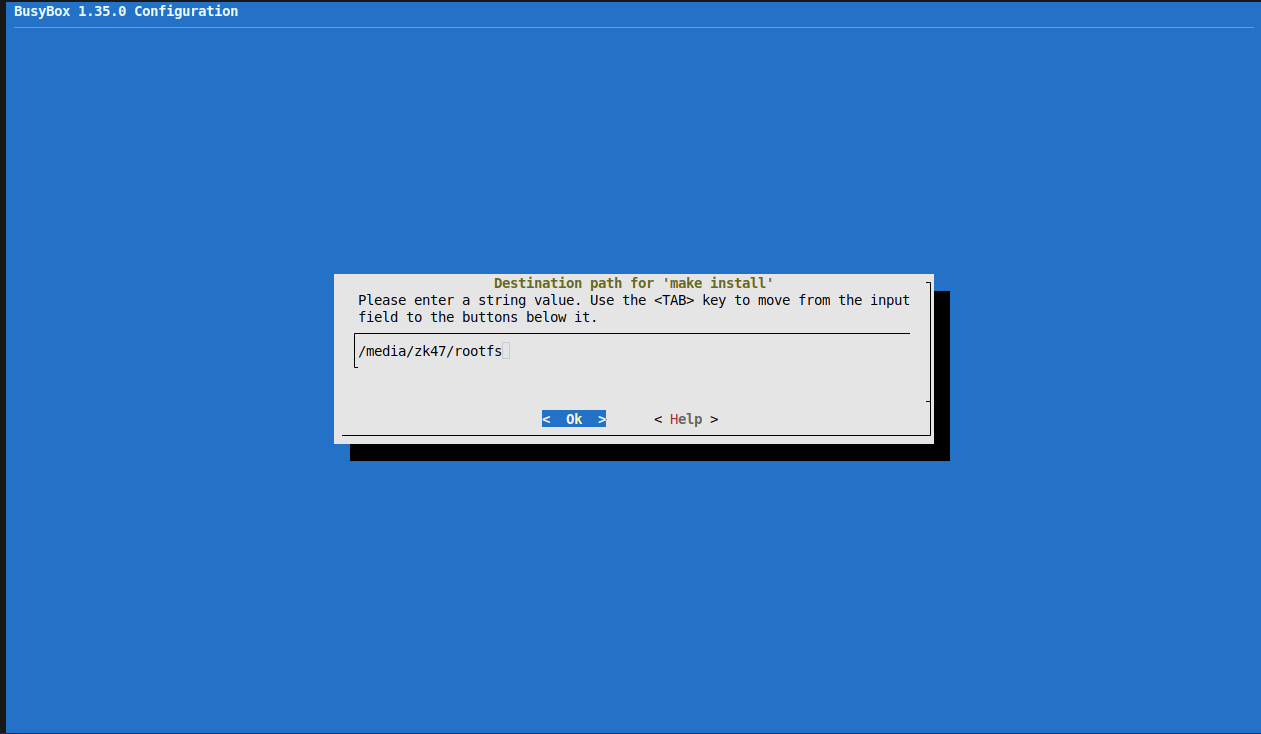
(Or, a bit simpler, we run make install like this)
make install CONFIG_PREFIX=/media/zk47/rootfs
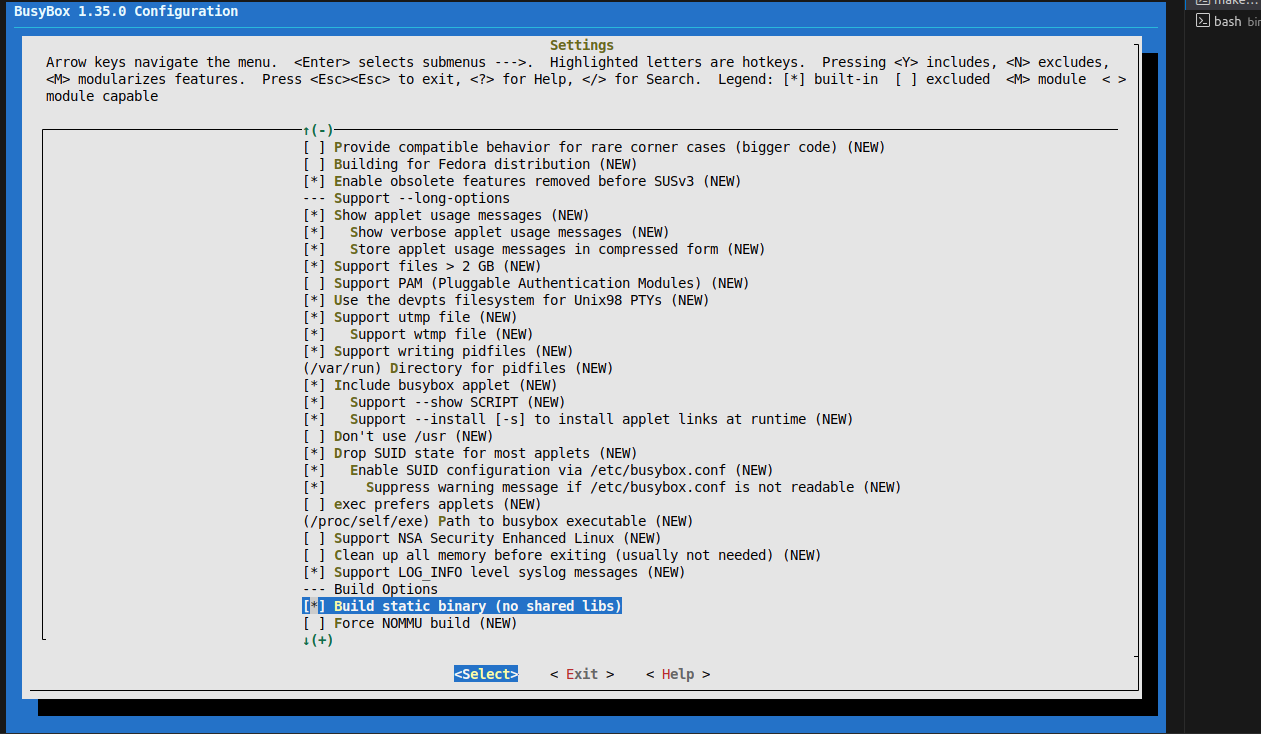
We also turn off shared libs, so busybox is not built with missing libs
- Settings
- Build Options
- Build static binary (*)
- Build Options
Okay, now we run
make install
At this point I got an error
networking/ping.c:158:11: fatal error: netinet/icmp6.h: No such file or directory
  158 | # include
      |           ^~~~~~~~~~~~~~~~~
compilation terminated.
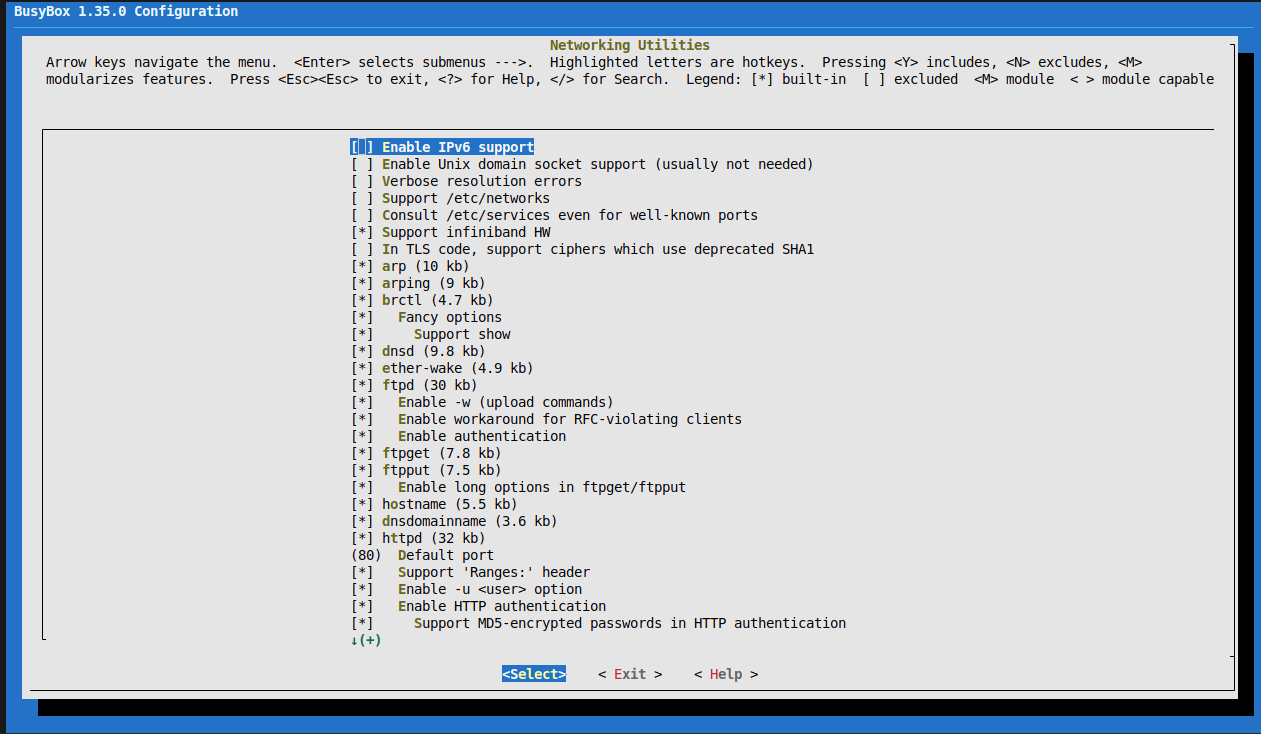
This is also noted in the bootlin worklab: turn off ipv6 support. We go back into busybox's menuconfig
make menuconfig
- Networking Utilities
- Enable IPv6 support: disable (press space to remove *)
Then run it again
make install
If you get permission denied, don't switch to running with sudo; instead change the ownership of the rootfs partition on the SD card
sudo chown -R $USER:$USER /media/zk47/rootfs
Then run make install again.
If you run sudo, it counts as a new session with sudo rights and we lose the PATH we set above. (That makes busybox build with gcc, not arm-gcc)
3. Result and testing the SD card
Okay, make install succeeded; now if you check the SD card it looks like this
zk47@ltu:~/Learning/Bootlin_practice/busybox$ tree /media/zk47/rootfs/
/media/zk47/rootfs/
├── bin
│   ├── arch -> busybox
│   ├── ash -> busybox
│   ├── base32 -> busybox
│   ├── base64 -> busybox
│   ├── busybox
│   ├── cat -> busybox
│   ├── chattr -> busybox
....
Okay, now power up the board and we see the following
[    3.617786] EXT4-fs (mmcblk0p2): mounted filesystem d756ca9b-1e88-4f98-9c7d-80323ff21984 r/w with ordered data mode. Quota mode: disabled.
[    3.630629] VFS: Mounted root (ext4 filesystem) on device 179:2.
[    3.637275]  mmcblk1: p1
[    3.641359] mmcblk1boot0: mmc1:0001 M62704 2.00 MiB
[    3.650063] devtmpfs: mounted
[    3.654353] mmcblk1boot1: mmc1:0001 M62704 2.00 MiB
[    3.664734] Freeing unused kernel image (initmem) memory: 2048K
[    3.674001] mmcblk1rpmb: mmc1:0001 M62704 512 KiB, chardev (236:0)
[    3.680437] Run /sbin/init as init process
can't run '/etc/init.d/rcS': No such file or directory

Please press Enter to activate this console.
/ # ls
bin         home        lost+found  sys         var
dev         lib         proc        tmp
etc         linuxrc     sbin        usr
/ #
That works nicely
About the /etc/init.d/rcS error: simply put, this is the systemV style of implementation, like a script run at boot. Here, instead of having to press Enter, you can put the following command in that script so it drops into the terminal automatically
exec /bin/sh
Read more at: https://unix.stackexchange.com/questions/56075/why-is-rcs-required-after-file-system-is-mounted-by-the-kernel
Okay, that's it for today :vv
In the next post I will use buildroot to generate this root file system, which is more convenient
Hope you keep reading and supporting