[Fun Fact] 1. Where some programming terms come from
Translated from the Vietnamese original; wording may still be rough. Read the original →
Have you ever wondered why people use terms like "Core dumped", "bug", "mount", "unmount", "patch", "cursor"?
Why 'Core dumped' and not 'Memory Dumped'
When does a core dump happen?
When a program crashes (for example with a Segmentation Fault), the operating system can take a snapshot of the whole memory state of that process at the exact moment of the crash:
- The process's RAM
- CPU registers (Program Counter, Stack Pointer)
- Some related kernel and operating system information
👉 That file is called a core dump. Later we use gdb, objdump, kdump… to open it and analyse the cause of the crash.
Why is it called "core"?
- In the old days (1950 to 1970), RAM was made of magnetic-core memory (tiny magnetic rings).
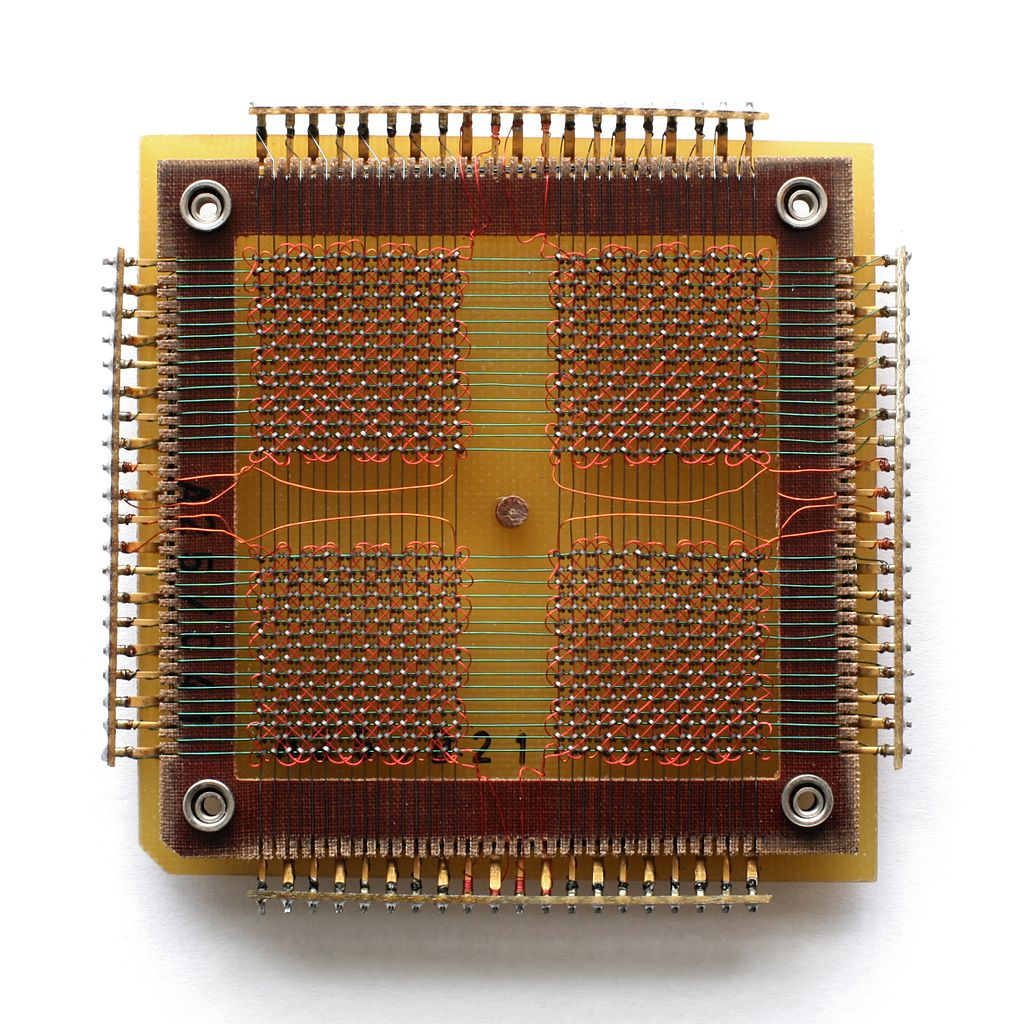
- When a program died, people "dumped" (printed or wrote) the content of the core memory to paper, tape, disk… → called a core dump.
- Later RAM no longer used magnetic cores, but the name "core dump" was kept
Here is a small example of a C program that tries to write a value to the NULL pointer address
zk47@ltu:~$ cat main.c
int main(void) {
    int *p = 0;     // NULL pointer
    *p = 42;        // write to address 0 -> segfault (core dumped)
}

zk47@ltu:~$ gcc -o main main.c -g
zk47@ltu:~$ ./main
Segmentation fault (core dumped)
We can install coredumpctl to make this easier; here we already get a short stack trace. The full one is at /var/lib/systemd/coredump/core.main.1000.dba800c9ee6645358a0a590b7a0f3feb.7665.1763201375000000.zst, a compressed file in elf format
zk47@ltu:~$ coredumpctl dump /home/zk47/main > core.main
           PID: 7665 (main)
           UID: 1000 (zk47)
           GID: 1000 (zk47)
        Signal: 11 (SEGV)
     Timestamp: Sat 2025-11-15 17:09:35 +07 (4min 4s ago)
  Command Line: ./main
    Executable: /home/zk47/main
 Control Group: /user.slice/user-1000.slice/user@1000.service/app.slice/app-org.gnome.Terminal.slice/vte-spawn-be66058d-6b3a-42b1-bde3-458a37c258f5.scope
          Unit: user@1000.service
     User Unit: vte-spawn-be66058d-6b3a-42b1-bde3-458a37c258f5.scope
         Slice: user-1000.slice
     Owner UID: 1000 (zk47)
       Boot ID: dba800c9ee6645358a0a590b7a0f3feb
    Machine ID: 1b00b882602c461d8cd1092dc2ecac33
      Hostname: ltu
       Storage: /var/lib/systemd/coredump/core.main.1000.dba800c9ee6645358a0a590b7a0f3feb.7665.1763201375000000.zst (present)
     Disk Size: 17.2K
       Message: Process 7665 (main) of user 1000 dumped core.

                Found module /home/zk47/main with build-id: c96af254eb5dafc9cd46ada1dd1a00c5024275dd
                Found module linux-vdso.so.1 with build-id: 1e83cba00162a9c0ddb5b85aa28af40a72cfd480
                Found module ld-linux-x86-64.so.2 with build-id: acaf96d7b1a6bad57b559d646233d5dc1a23257c
                Found module libc.so.6 with build-id: 4f7b0c955c3d81d7cac1501a2498b69d1d82bfe7
                Stack trace of thread 7665:
                #0  0x000062ed6932f13d n/a (/home/zk47/main + 0x113d)
                #1  0x00007ed49f429d90 __libc_start_call_main (libc.so.6 + 0x29d90)
                #2  0x00007ed49f429e40 __libc_start_main_impl (libc.so.6 + 0x29e40)
                #3  0x000062ed6932f065 n/a (/home/zk47/main + 0x1065)
Where the name Bug comes from: was it really an insect causing errors?
1. From "bug" → "fault / glitch" in engineering
Around the 1870s
- Among engineers, telegraph and machine people, "bug" was already being used for annoying faults and glitches.
1878: Thomas Edison
- Edison wrote letters mentioning "
Bugs, little faults and difficulties" that appeared in his work
1924: "Bug hunter" = repairman
- A cartoon in a telephone industry magazine: "bug hunter" is explained as slang for a repairman, not someone who catches insects.
👉 By the mid 1940s, "bug = technical fault / glitch" was already very familiar.
2. 1947: The moth in the Mark II & Grace Hopper
What is the Mark II?
- The Harvard Mark II is a very early electromechanical computer
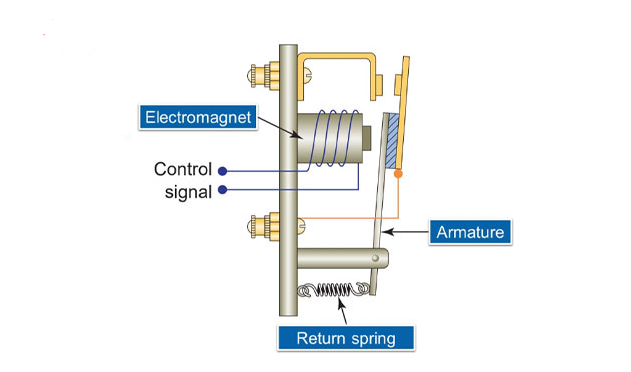
- It used electric relays (not transistors yet): electromagnets pull contacts to form logic 0/1, current flowing / not flowing
- It was huge, filled a whole room, and was used for scientific/military computation
The moth incident: 1947
- Grace Hopper and her colleagues worked on the Mark II / Mark III at Harvard.
- One day the machine suddenly malfunctioned, and they tracked down the cause:
→ A moth was stuck in a relay, making the machine misbehave. - They removed the moth, taped it into the log book and wrote: "First actual case of bug being found."
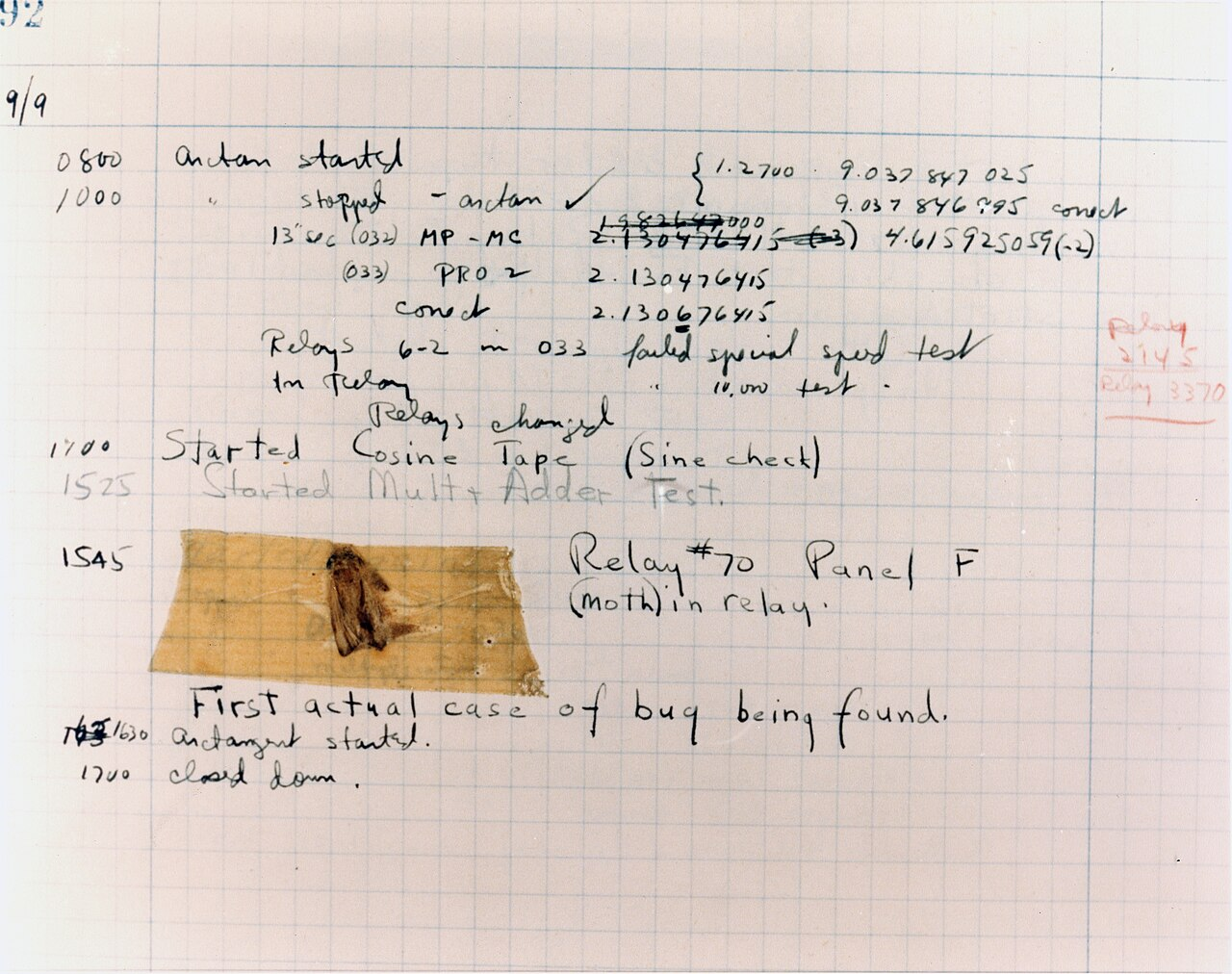
This is a pun:
- Because before that they were already used to "bug" = technical fault
- Now they had found a "bug" in the literal insect sense (actual bugs)
The log book with the moth is still kept at the Smithsonian museum. And the story has stayed famous to this day
What mounting and unmounting a drive means
1. "Mount" originally meant hanging the tape / disk up
In English, mount already meant to put, attach or hang an object in the right place so it can be used (mount a picture, mount a lens…).
In the 1950s to 1970s, common storage was:
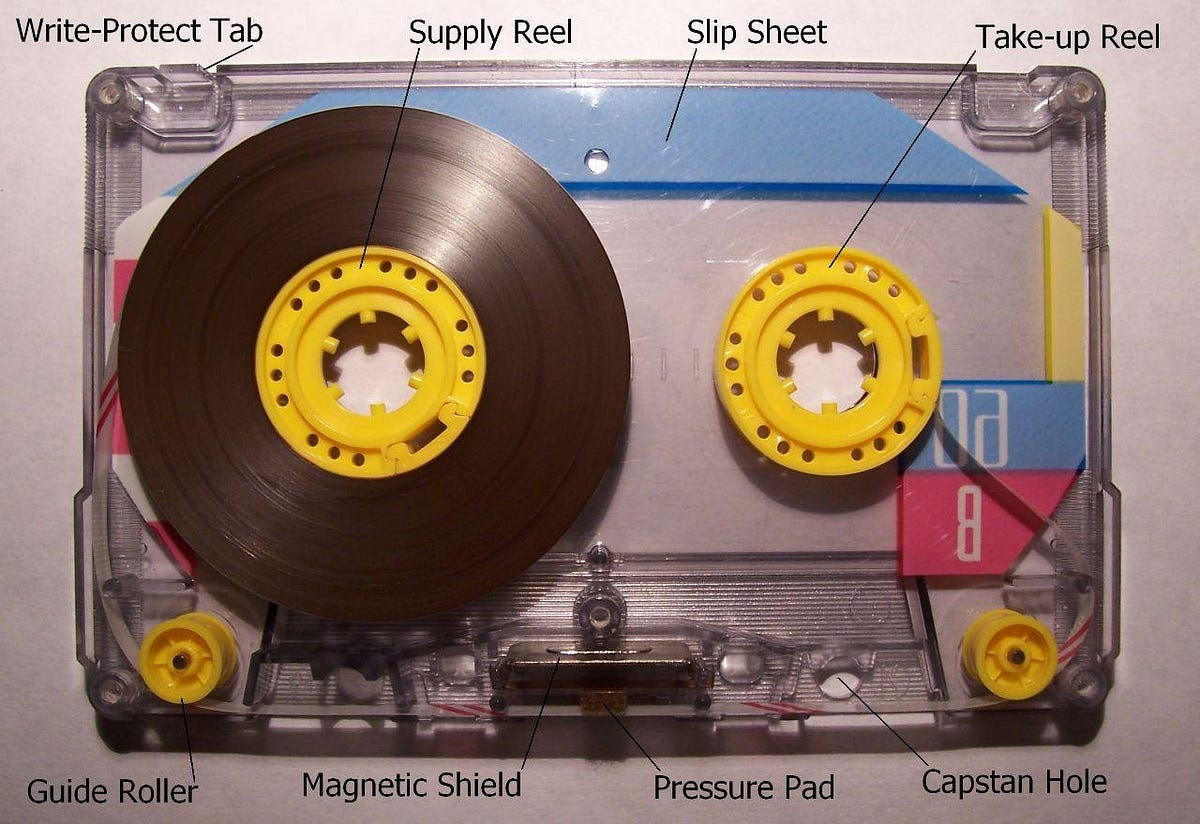
- Magnetic tape: a round reel of tape, hung on a holder (tape drive)
- Removable disks (disk pack): a whole "stack" as big as a rice cooker, fitted into the drive (disk drive)
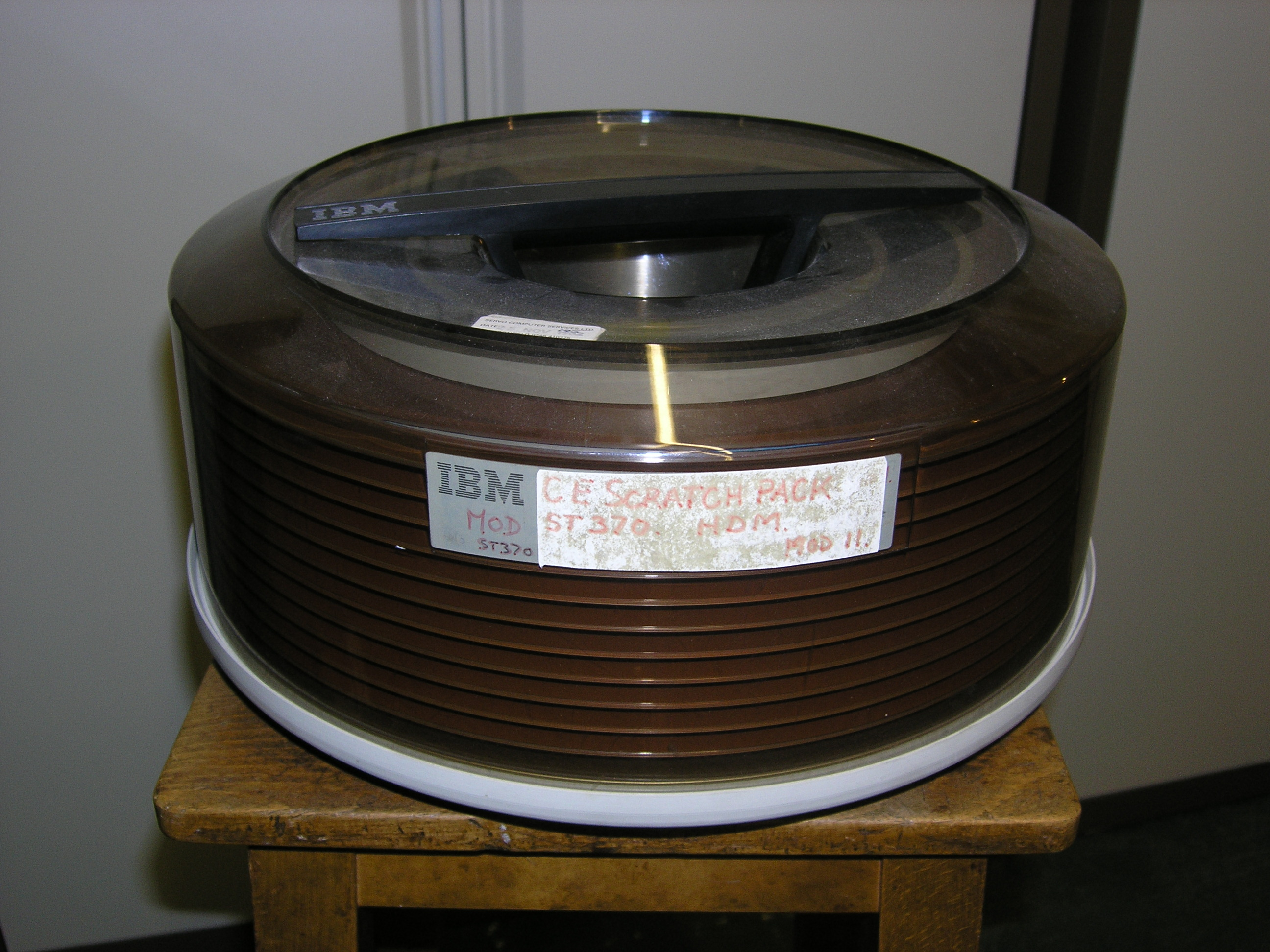
To use it, the operator had to "mount" the tape reel or disk pack on the drive. The system printed requests like:
MOUNT TAPE VOL=123456 ON DRIVE 3
→ The operator fetched the right reel and mounted it on the tape drive.
This is the physical meaning: attaching the storage medium to the read/write device.
2. From physical "mount" → "mount filesystem" in Unix
When it came to modern operating systems:
- The OS has to know which devices are attached and usable, and "attach" them into the directory tree.
- Unix reused the familiar word of the time,
mount, for this operation:mount= tell the kernel: "this drive/partition/filesystem is ready, attach it at directory X".umount= detach it from the directory tree, flush the data, and allow the device to be removed safely.
The mount command appeared in the very first Unix versions, and Linux later kept the same name
A code fix: the patch
1. "Patch" originally means a piece of cloth sewn over a hole
In everyday English, a patch is a piece of cloth/leather sewn over a tear. Later it became familiar in programming as a patch for code.
2. The paper tape & punch card era (1950s to 1970s)
Back when programs were stored on:
- Punched tape: a continuous strip of punched paper
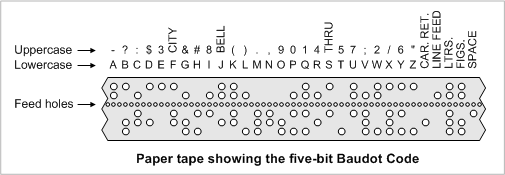
- Punch cards: individual punched paper cards, stacked into a whole program
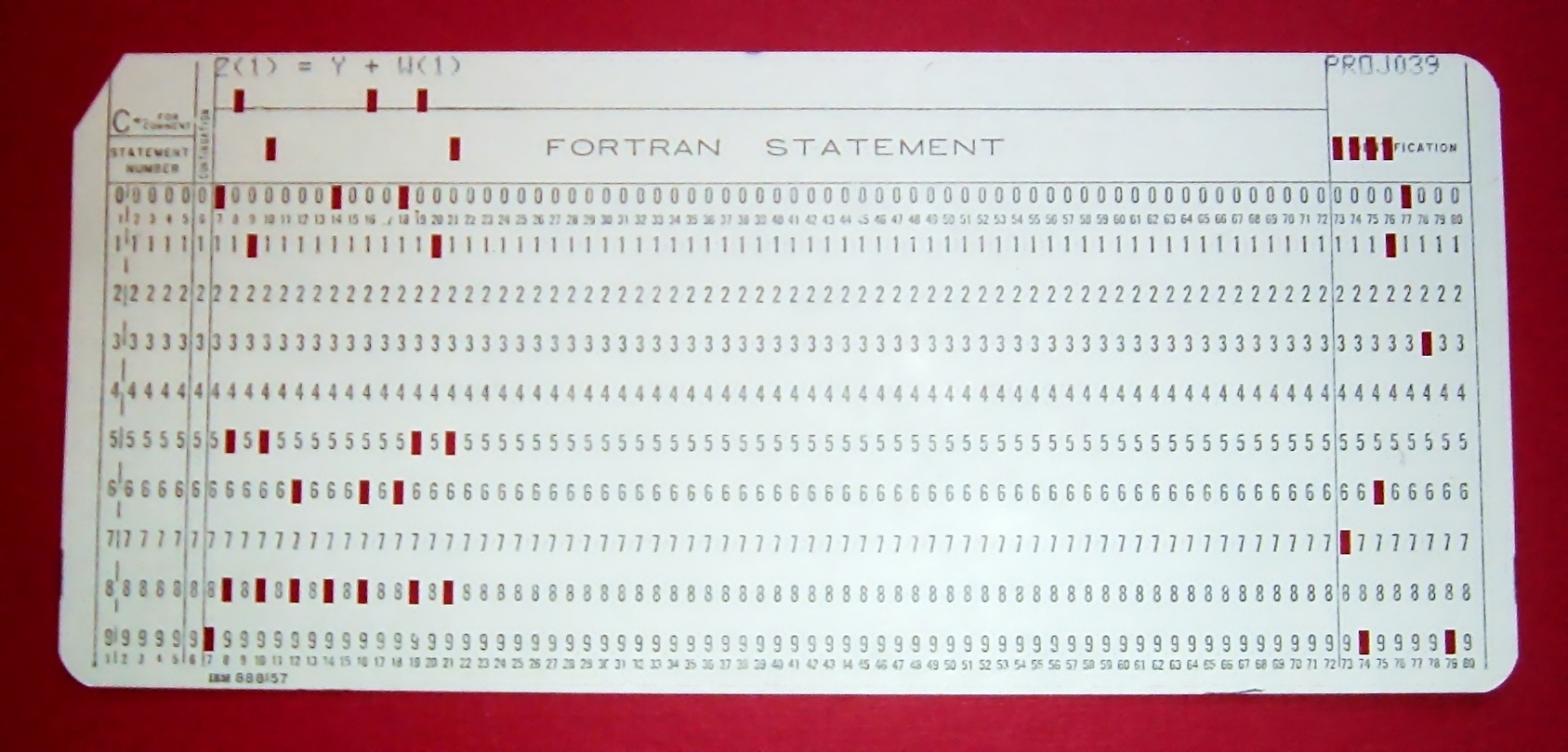
At that time, when software/systems had bugs, the vendor would send you a small new piece of tape/cards containing the fixed code.
How it was used:
- With paper tape: cut the faulty section out of the old tape,
then tape (patch) the new section in, literally "patching the tape". - With punch cards: sometimes literally sticking tape + chad (the punched-out bits of paper) on to fix holes, or replacing a whole group of cards in the deck.
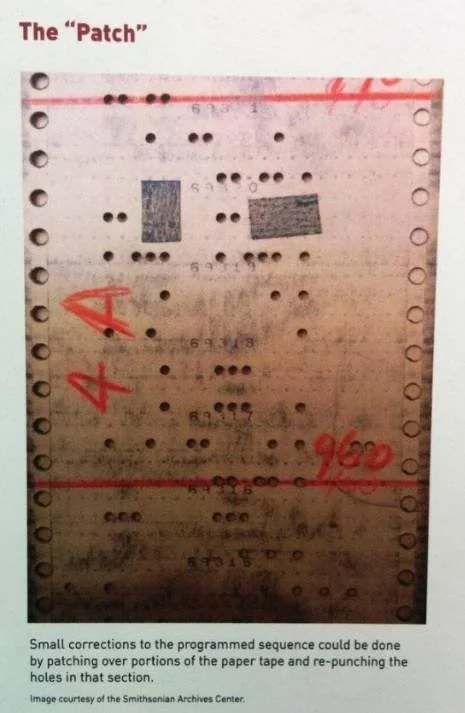
Wikipedia describes it clearly: early on, software vendors released patches on paper tape/punch cards, and users would "cut out the wrong part and patch in the new section".
→ From then on, "patch" = a small piece of code that fixes an existing program. To this day.
The mouse pointer called a Cursor
1. Before computers
- In classical Latin:
- cursor = "runner, messenger" (runner / courier).
- Around the 16th century (1590s):
- In English,
cursorstarted to be used for "the slider with a fine line on a measuring instrument": a transparent piece with a hairline that slides back and forth (runs) along the rule to point at a value.
- In English,
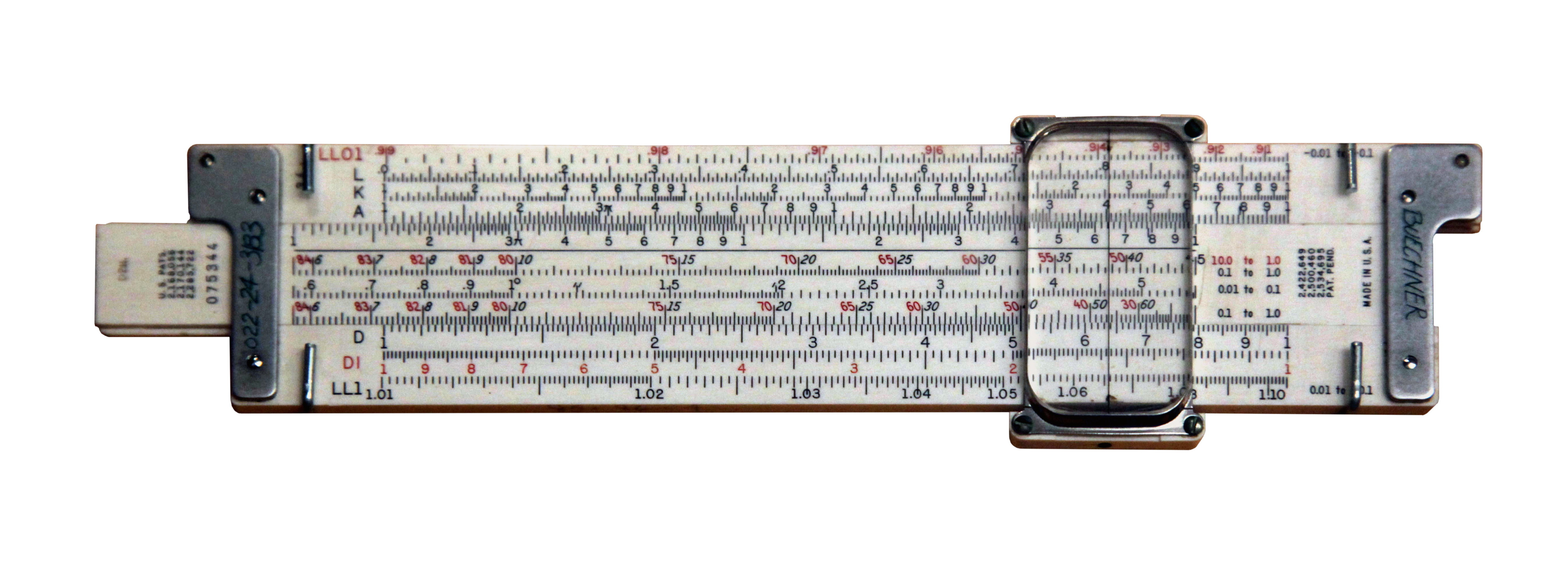
👉 So long before computers, a cursor was already "the slider running along the rule".
2. Onto computers: from slide rule → pointer on the screen
- In the 1960s: when CRT screens, blinking cursors, arrow keys and mice appeared, people borrowed the same concept:
- Cursor = a marker running around the screen to show:
- where text is being entered (caret / text cursor), or
- the position of the mouse pointer (mouse pointer, often also called the mouse cursor).
- Cursor = a marker running around the screen to show:
- The Etymonline dictionary records "cursor on a computer screen" from around 1967.
👉 It is still the image of "running back and forth", except that in the old days it ran along a slide rule and now it runs across the computer screen :vv.