[Android-BBB] 1. Running Android 6 on the Beaglebone Black
Translated from the Vietnamese original; wording may still be rough. Read the original →
Of course, the Beaglebone Black only has 512Mb, so it can hardly run Android smoothly. I tried it, and wrote this post so anyone planning to try can have the experience :vv
1. Android 6 Image
1.1 Building the image yourself
You can follow this github page to build the image yourself: https://github.com/csimmonds/android4beagle
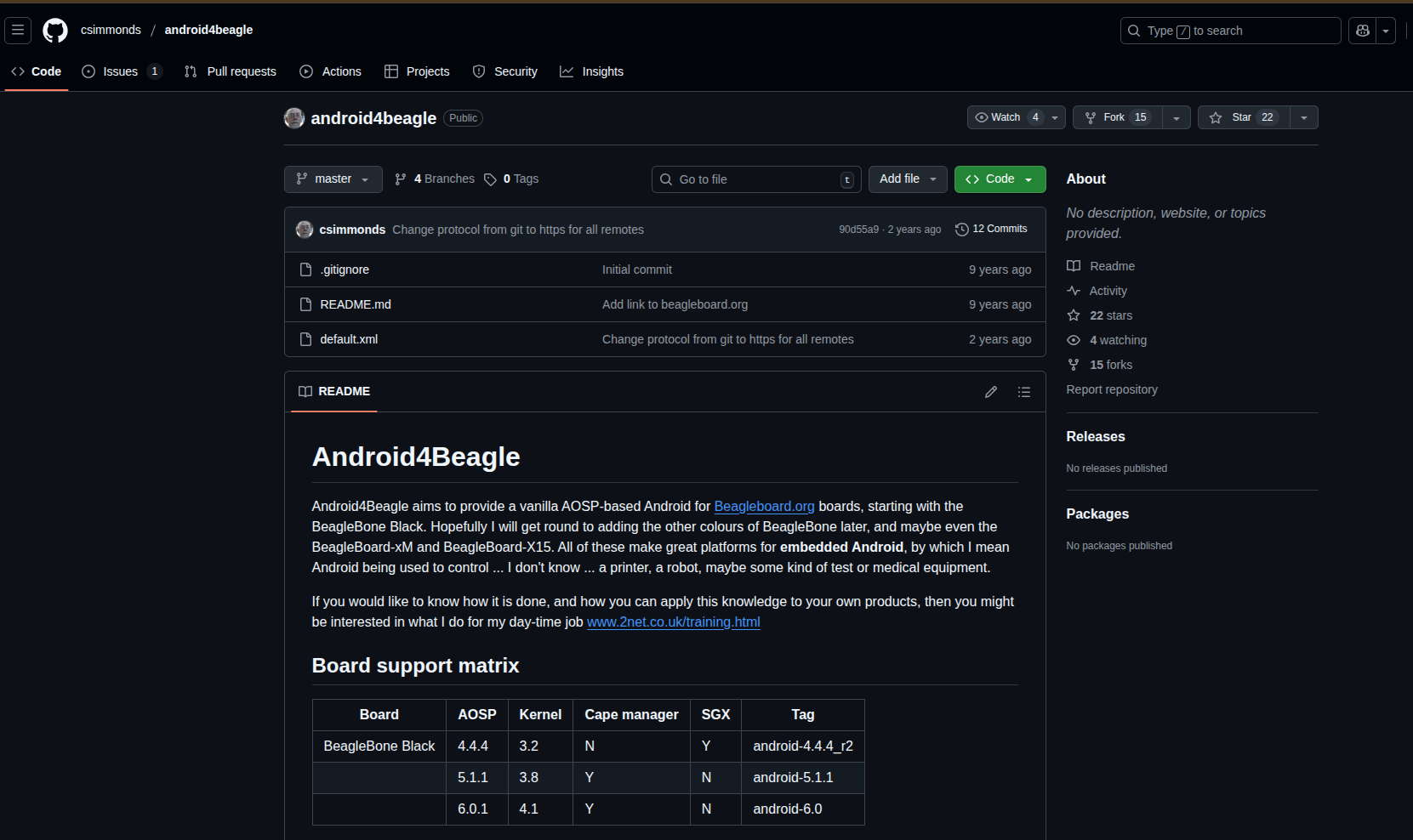
But Android 4, 5, 6 came out more than 10 years ago. To build them you will probably need Docker with an Ubuntu image around 15.10 or even 13.10
In fact I followed it and still got errors while building, having to downgrade python, gcc, java, and still errors everywhere. Many git repos also no longer exist. So it is hard to rebuild.
So we go the easier way
1.2 Using a ready-made Image
From the 2net site, the author provides 3 images
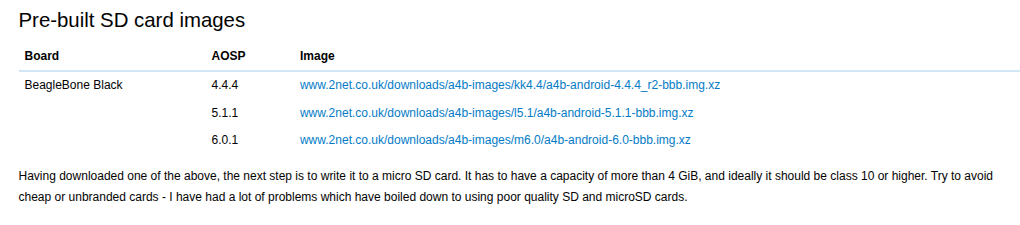
You can download them directly through the links. But whether the site is broken or not, clicking the links did not download for me, so I used wget. Use one of the 3 commands here for Android 4.4.4, 5.1.1, 6.0
wget www.2net.co.uk/downloads/a4b-images/kk4.4/a4b-android-4.4.4_r2-bbb.img.xz
wget www.2net.co.uk/downloads/a4b-images/l5.1/a4b-android-5.1.1-bbb.img.xz
wget www.2net.co.uk/downloads/a4b-images/m6.0/a4b-android-6.0-bbb.img.xz
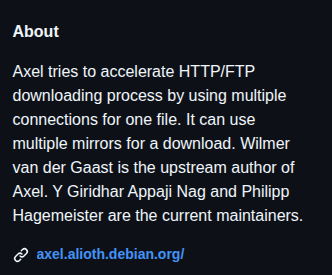
If you use Windows you can download Axel and paste the link in; axel's github is here https://github.com/nishad/axel-for-windows
As described, axel speeds up the download by using more connections for one file
2. Flash the image and test
2.1 Flash the image
On linux, I extract the .img.xz file to .img and then use the command. For <name-of-devices> you can check with lsblk to find the name of your SD card
sudo dd if= of=/dev/ bs=4M status=progress conv=fsync
Although the image is only 200Mb, I found the copy took very long, about 15-20 minutes. So don't worry if it seems to hang a bit
On Windows you can use tools to flash. I used to borrow RPI Imager for this :vv
2.2 Testing the image
Here I use an external 5V 2A supply for the Beaglebone Black and plug in a 7 inch Waveshare screen for the interface. And yet the Serial Log kept showing the USB port disconnecting. Strangely, when I built an image with Yocto, even one with a GUI like core-image-sato, this never happened.
This happens when the BBB cannot supply enough power to the screen, so I used an external supply for the screen, and plugged a mouse and keyboard into the Beaglebone instead of using touch.
And tada, here is the result