[Kernel-BBB] 1. KGDB over UART
Translated from the Vietnamese original; wording may still be rough. Read the original →
Keeping the configuration from Yocto-BBB 1 , I add a new meta-layer just for this kernel work
1. Create a new meta layer
1.1 Create the meta layer and add it to bblayers
$ source oe-init-build-env build-bbb/
zk47@ltu:~/Youtube/Yocto/yocto-bbb/poky/build-bbb$ bitbake-layers create-layer ../meta-kernel
NOTE: Starting bitbake server...
Add your new layer with 'bitbake-layers add-layer ../meta-kernel'

$ bitbake-layers add-layer ../meta-kernel
NOTE: Starting bitbake server...
1.2 Create the kernel append recipe
We use the following command to find the kernel recipe (in fact we could use virtual/kernel, but that is a generic name, not the specific one)
$ oe-pkgdata-util lookup-recipe kernel
linux-bb.org
Now we create linux-bb.org.bbappend
So the folder structure is as follows
zk47@ltu:~/Youtube/Yocto/yocto-bbb/poky/meta-kernel$ tree
.
├── conf
│   └── layer.conf
├── COPYING.MIT
├── README
└── recipes-kernel
    └── linux
        ├── linux-bb.org
        │   └── kgdb.cfg
        └── linux-bb.org_%.bbappend

4 directories, 5 files
Okay, we have the skeleton; now I will enable kgdb in menuconfig and get the config fragment
2. Configure KGDB through menuconfig
(See the Kernel docs KGDB )
We open the kernel's menuconfig
btibake -c menuconfig virtual/kernel2.1 Enable KGDB
Okay, we enable KGDB
Kernel hacking
Generic Kernel Debugging Instruments KGDB: kernel debugger
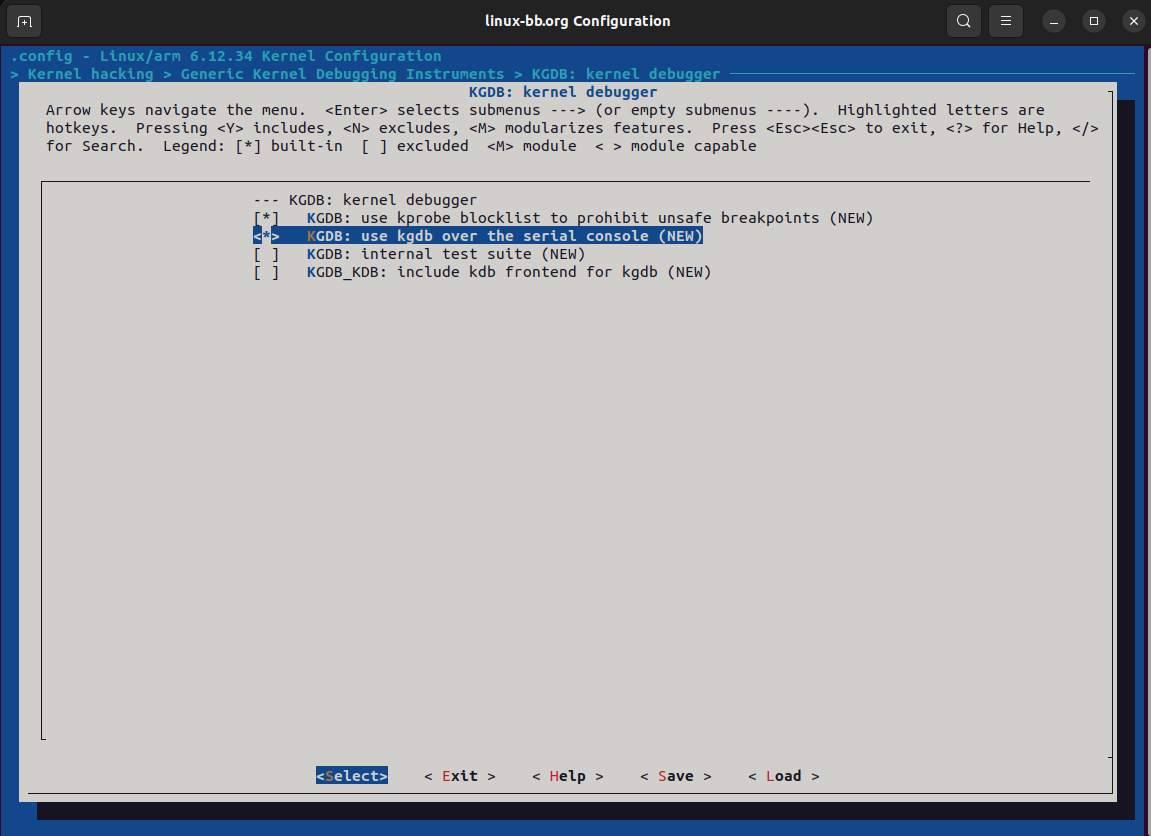
Remember to also select the serial console option on line 2 like this. The menuconfig may differ slightly between kernel versions. You can type "/" to search for the text KGDB to get to the right place
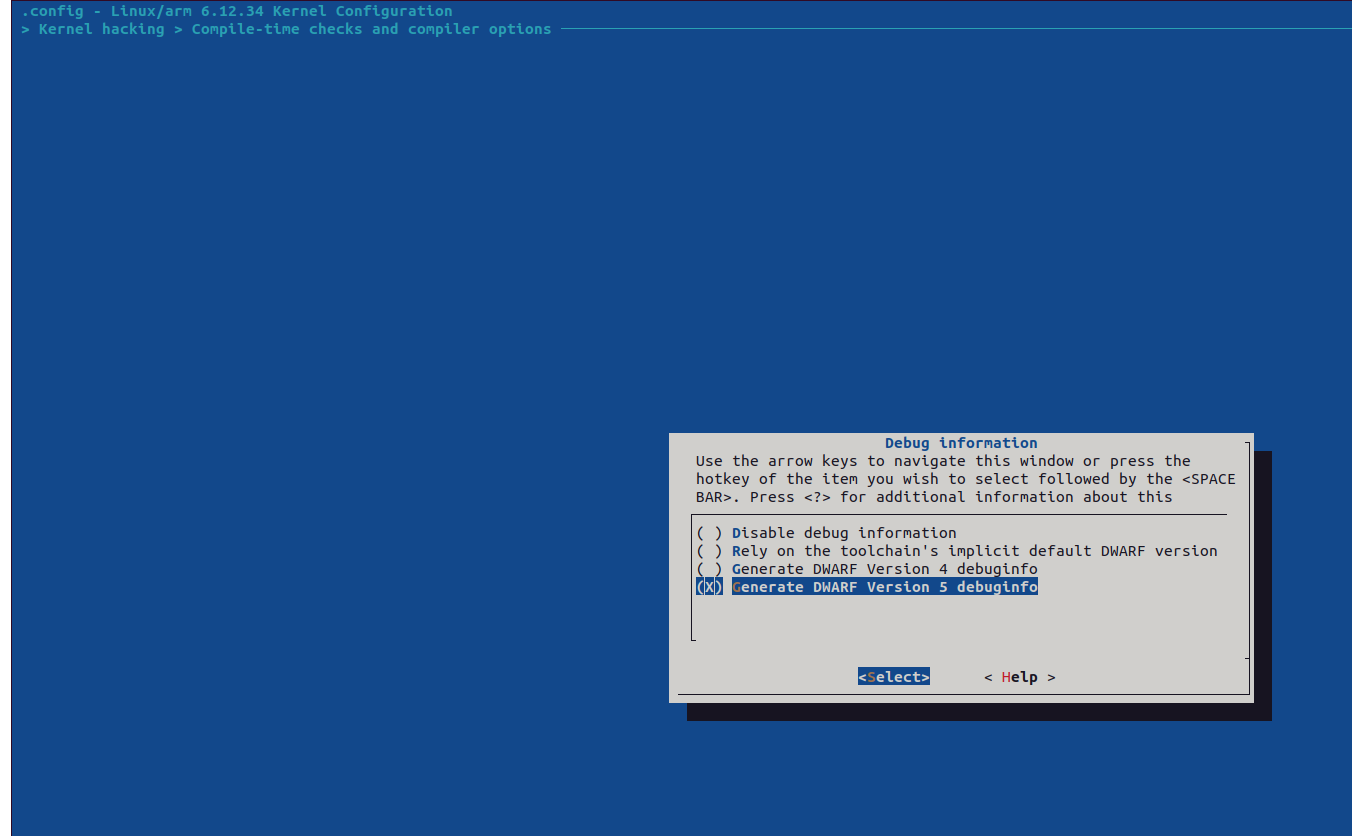
2.2 Enable Debug info
Kernel hacking
→ Compile-time checks and compiler options
→ Debug information
→ (Select) Generate DWARF Version 5 debuginfo
2.3 Disable strict kernel
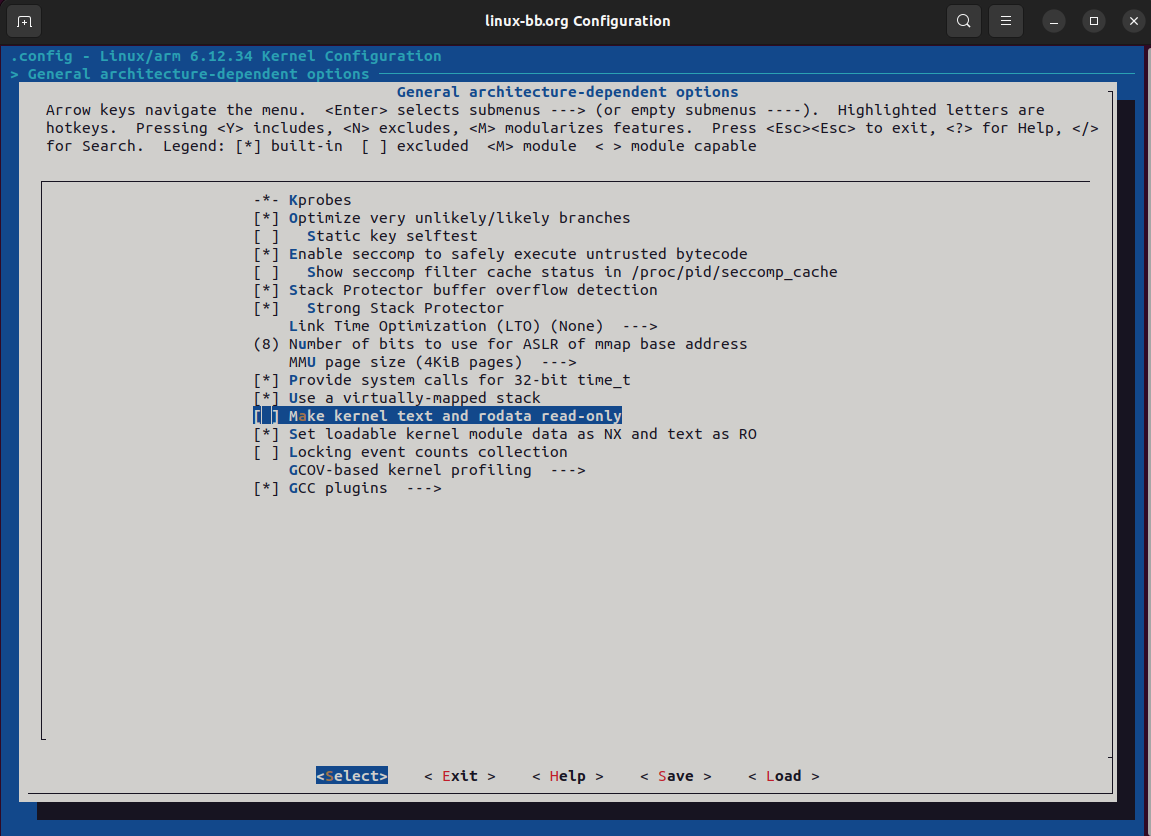
Turn off the option that makes kernel text and rodata read only
General architecture-dependent options
-> Make kernel text and rodata read-only (STRICT_KERNEL_RWX [=y])
Okay, as the last step I save it with the name kgdb.config.
2.4 Edit kgdb.cfg in the meta-layer
It will be in your working directory; on my machine it is at
/home/zk47/Youtube/Yocto/yocto-bbb/poky/build-bbb/tmp/work/beaglebone-poky-linux-gnueabi/linux-bb.org/6.12.34+git/build/kgdb.config
However, this kgdb.config is the entire kernel config, 9012 lines long; if I put it in the meta-layer it would be hard to follow, right?
What I need is only what I changed above. That is when we create a config fragment with diffconfig
$ bitbake -c diffconfig linux-bb.orgHowever, since this linux-bbb recipe only inherits kernel, not kernel-yocto, it lacks the do_diffconfig task, so it cannot create fragment.cfg
Let's try the manual way
Go into the build folder and diff .config against .config.old
/home/zk47/Youtube/Yocto/yocto-bbb/poky/build-bbb/tmp/work/beaglebone-poky-linux-gnueabi/linux-bb.org/6.12.34+git/build
diff .config .config.old
Now save these values into our kgdb.cfg
$ cat kgdb.cfg
# CONFIG_STRICT_KERNEL_RWX is not set
CONFIG_DEBUG_INFO=y
# CONFIG_DEBUG_INFO_NONE is not set
CONFIG_DEBUG_INFO_DWARF5=y
CONFIG_KGDB=y
CONFIG_KGDB_SERIAL_CONSOLE=y
To make it easy to compare after the build, remember these 2 options,
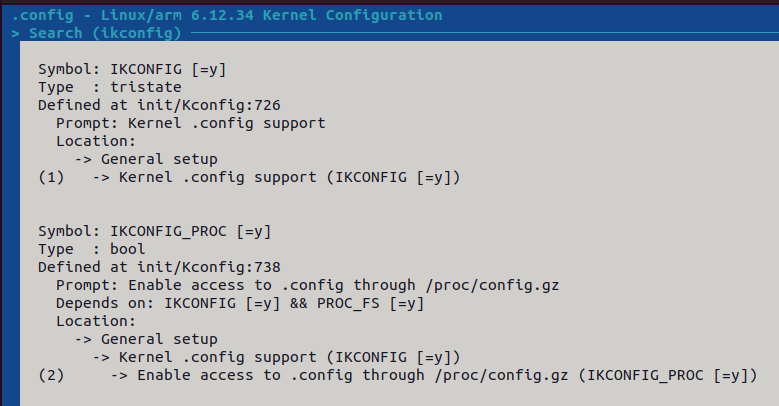
This is so that after building and flashing we can check /proc/config.gz to confirm our config is there
We also edit linux-bb.org_%.bbappend so the kernel gets it applied
FILESEXTRAPATHS:prepend := "${THISDIR}/linux-bb.org:"

SRC_URI += "file://kgdb.cfg"

KERNEL_CONFIG_FRAGMENTS:append = " ${WORKDIR}/kgdb.cfg"
2.5 Build the kernel and the image
bitbake -c cleansstate linux-bb.org && bitbake linux-bb.org && bitbake core-image-minimal
Okay, once done we flash the SD card
3. Running KGDB
3.1 Set up KGDB on the board
When the board boots, we get into the u-boot terminal and set the baudrate and tty
setenv optargs kgdboc=ttyS0,115200
saveenv
boot
If you forgot to stop in u-boot, you can run the following command at runtime
root@beaglebone:~# tty
/dev/ttyS0

root@beaglebone:~# echo ttyS0 > /sys/module/kgdboc/parameters/kgdboc
Then we start debugging
root@beaglebone:~# echo g > /proc/sysrq-trigger
[  211.552855] sysrq: DEBUG
[  211.555578] KGDB: Entering KGDB
This shows KGDB is enabled successfully
3.2 Start KGDB on the host
We exit the current serial terminal (to avoid a conflict, since we now share /dev/ttyUSB0; ideally the serial console is on one UART and KGDB on another) and start gdb
sudo gdb-multiarch ~/Youtube/Yocto/yocto-bbb/poky/build-bbb/tmp/work/beaglebone-poky-linux-gnueabi/linux-bb.org/6.12.34+git/build/vmlinux(Point it to the vmlinux in the output. Here I use sudo for now because accessing /dev/ttyUSB0 needs root)
Setup
(gdb) set serial baud 115200
(gdb) target remote /dev/ttyUSB0
Remote debugging using /dev/ttyUSB0
The basic command set is as follows
(gdb) bt                        # xem backtrace
(gdb) list                      # xem source code (sau khi set path)
(gdb) break do_sys_openat2      # set a breakpoint
(gdb) continue                  # let the kernel keep running
(gdb) info registers            # xem registers
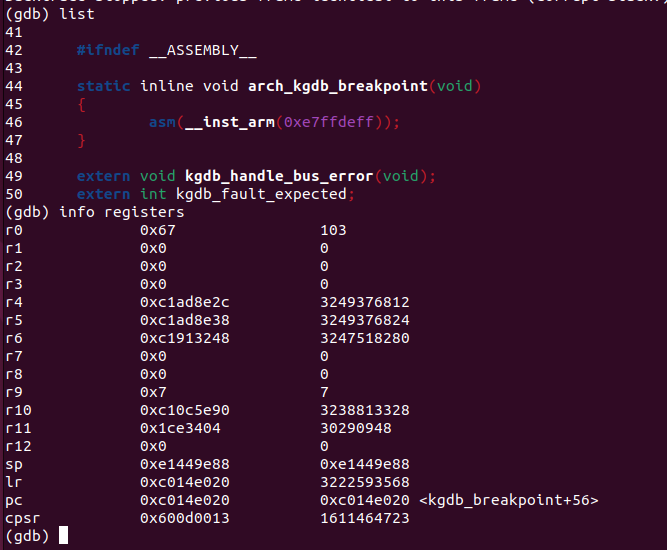
Today's post is already quite long; I will continue with kgdbwait and the gdb server in the next post
Good luck with the hands-on