[Linux] The cheapest embedded board that can run Linux
Translated from the Vietnamese original; wording may still be rough. Read the original →
With prices climbing, a Beaglebone Black now costs around 2 million VND. I decided to look for the cheapest board that can run Linux. After about 2 weeks I settled on the board I will make a series about soon. Because I think a cheap board lets the most people get their hands on it and tinker :vv. Read to the end to find out which board I chose
1. Some pretty wild boards :vv
When you think of Linux you think of microprocessors (MPU, ARM Cortex-A cores), but would you imagine that microcontrollers with ARM Cortex-M cores can run it too?
1.1 Arduino Uno
Among them is the Arduino Uno.
You heard that right. I was wandering around reddit and saw this post How to design a "simple" PCB running Linux , and a comment pointed to this post I run Linux 6.1 on my Arduino UNO!
Of course the Linux build has to be stripped down a lot; at first the author needed 5 days to reach a shell, and after optimising (adding a cache, ...) it takes 15 hours
You can watch it here
What's more, the author is Vietnamese; I really admire people who dig that deep !!
1.2 ESP32
I have not read into this one much, since I rarely code on esp32, but a few people have managed to boot it. Well, the ESP32S3 is clearly more powerful than the Uno, so it boots noticeably faster.
Have a look
1.3 STM32 MCUs
ST has a whole MPU line dedicated to running linux, but some boards in the MCU line are supported by linux too.
I read the article here: Running Mainline Linux Kernel In Stm32f429i Disc1 Evk
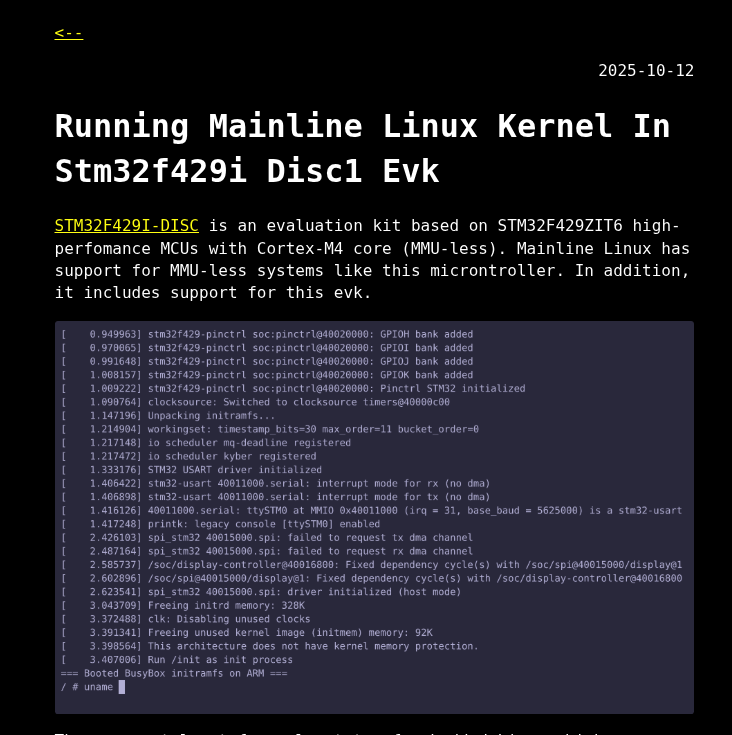
Now and then scrolling LinkedIn I find really good posts.
Linux supports some boards without an MMU (Memory Management Unit, used to create and manage virtual memory), including the STM32F429-DISC. You can check whether your board is on the list in the /arch/arm/boot/dts/st folder of the linux kernel source
For example, looking at that github folder we find the following boards
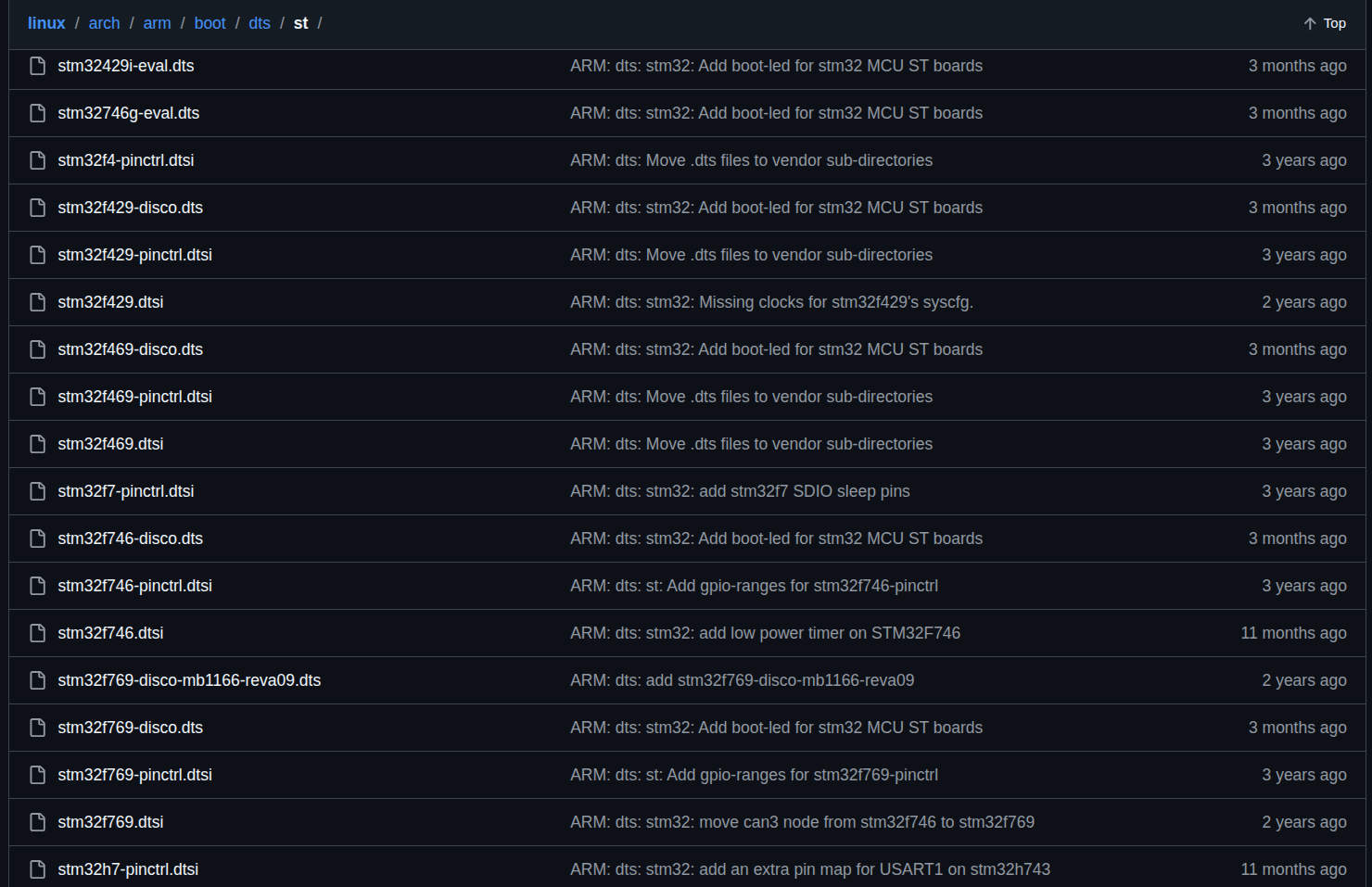
Most are EVAL or DISCO boards, which are rather expensive for everyday use
I have an STM32H747I-DISCO. Before I could try it, I lent it out :vv. If you have a supported board, you can try following the author
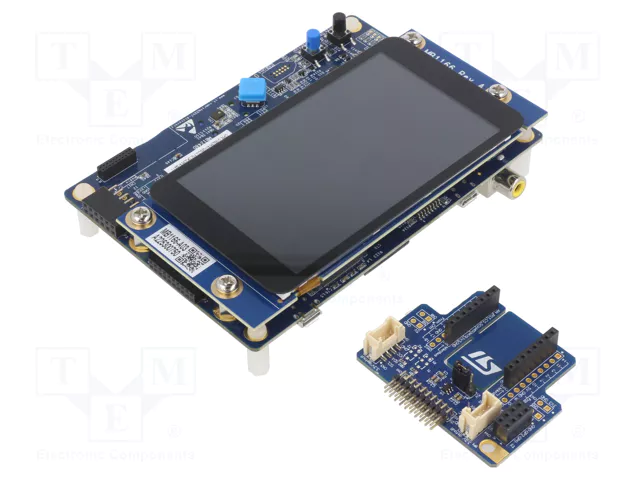
Oh, and for smaller, lighter MCUs there used to be uclinux, but its community no longer seems active.
2. Making your own board
Well, if you search online you will find some very cheap Linux boards such as the Lichee Pi Nano/Zero (ARM cores), Milk-V Duo, Duo S (RISC-V cores). You hesitate a bit, right, because of the lack of documentation.
And yet some people pulled the chips off these boards and made custom boards that are even cheaper
2.1 My Business Card Runs Linux
The author of this post probably kicked off a wave of custom boards that run linux; I have seen quite a few people follow it
You can read it here https://www.thirtythreeforty.net/posts/my-business-card-runs-linux/
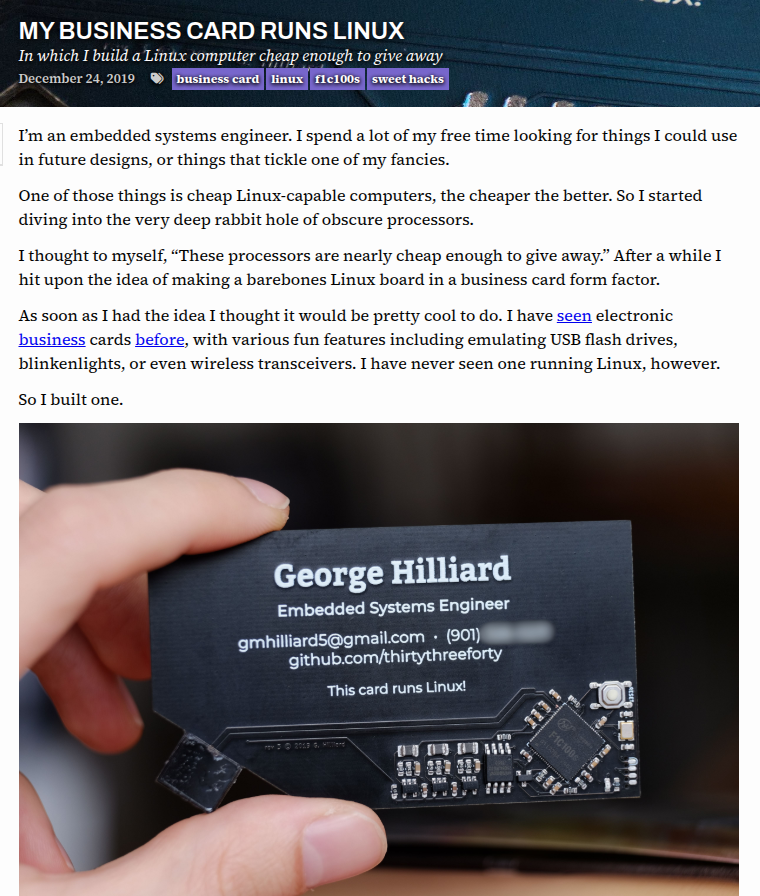
This board uses the F1C100S chip, the same as the Lichee Pi Nano, but with far simpler components; the USB edge cut like that is quite handy
2.2 Run mainline Linux on $5 dollar hardware
The author of this post was also inspired by George above. The blog has a bit more detail, so I read it too
You can read it here https://popovicu.com/posts/run-mainline-linux-on-5-dollar-hardware/
2.3 I tried drawing my own
Both authors above share the schematic but not the PCB, so after reading those 2 posts I opened Kicad and started drawing (I use Ubuntu full-time, so no Altium :vv). Learning Kicad is quick, but I lack hardware knowledge and have very little experience drawing circuits :vv
It took me 2 days: 1 day drawing the SCH and placing components, 1 day routing and looking for parts to order. Even then the circuit still looked a bit off :vv
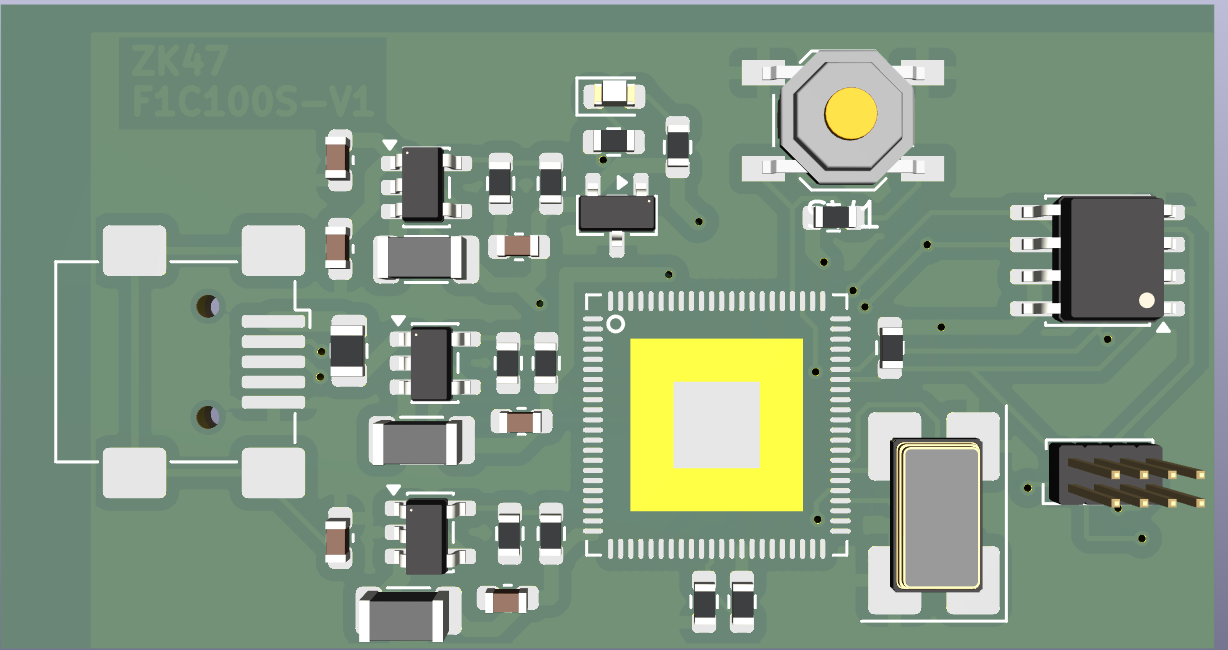
It is the "as long as the wires connect" kind, the routing is a real tangle. I also consulted AI a lot and learned many things :vv. Here I use 0603 resistors only; in the post they use 0402. Resistors and capacitors that small, with a poor soldering iron, I would spend more time hunting for dropped capacitors than soldering :vv (If anyone needs it, comment and I will publish the schematic and PCB; my drawing is a bit ugly, so I am shy about sharing it right away :vv)
I was actually planning to order, but the biggest problem is the supply of the F1C100S. Shopee has it, but the price is not what I hoped. According to the author in 2024, the F1C100S cost about 1.42$, around 30-40 thousand VND, yet now in 2026 everywhere I look it is about 100-120 thousand VND, roughly 3 times more. And I also worry about quality. If my soldering is poor and I also get a fake chip, that is the perfect combo loop, who knows when the board would ever boot
I am still obsessed with drawing this board, so I asked around in many places.
2.4 Asking around
Because I worried about quality and supply, I tried looking for alternative chips
One is the Allwinner V3S; here the EPCB page has even published the PCB, you only need to assemble the components. You can have a look. The only problem is that the V3S has the same issue: you don't know where to buy it.
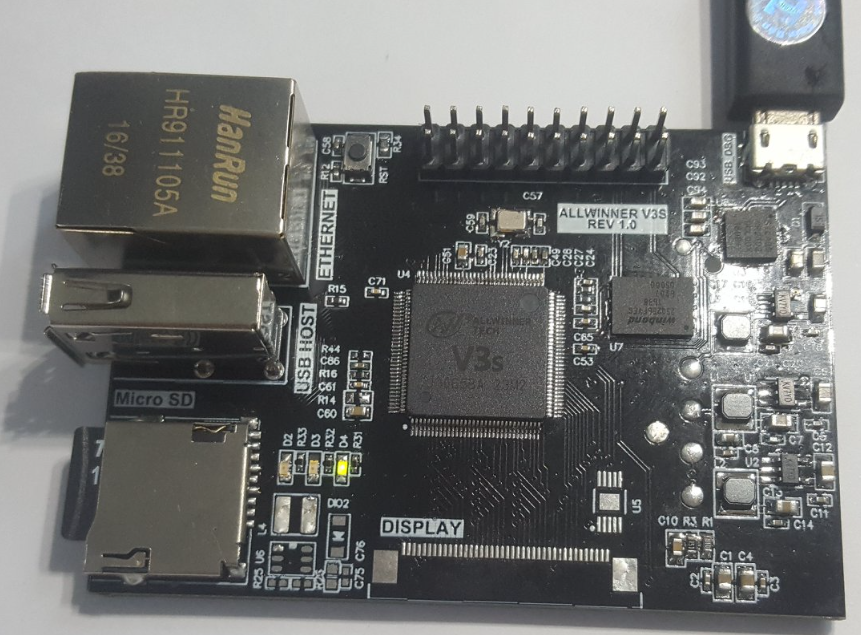
If you are used to ordering from Taobao or Aliexpress, you can try
Looking at another chip with the same ARM926EJ-S core (an old architecture, so the price is reasonable), I came across the Microchip SAM9X60 with its Curiosity board. A Microchip board running Linux is probably quite rare among users here in Vietnam
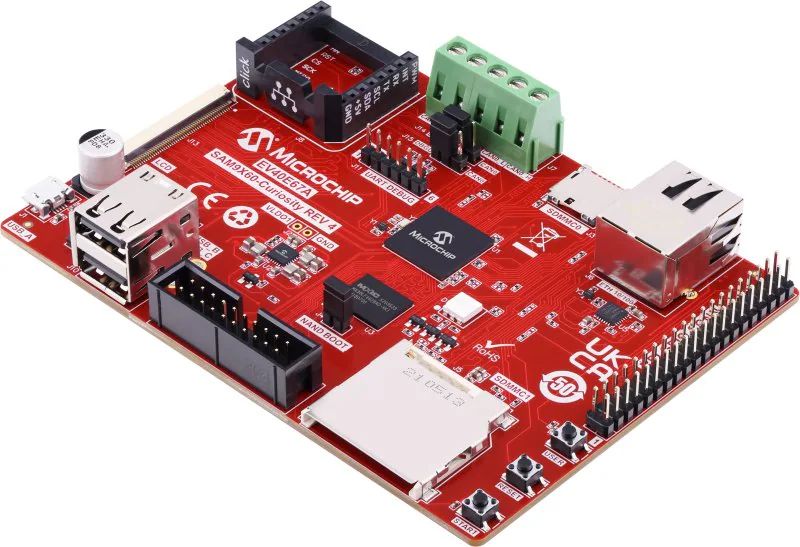
I thought about replacing the F1C100S with this one; it costs about 7$, but you get what you pay for :vv. The board above costs 100$, but with a minimal component design you could bring it down to about 20-30$
This author has quite a few related designs you can look at https://github.com/vd-rd
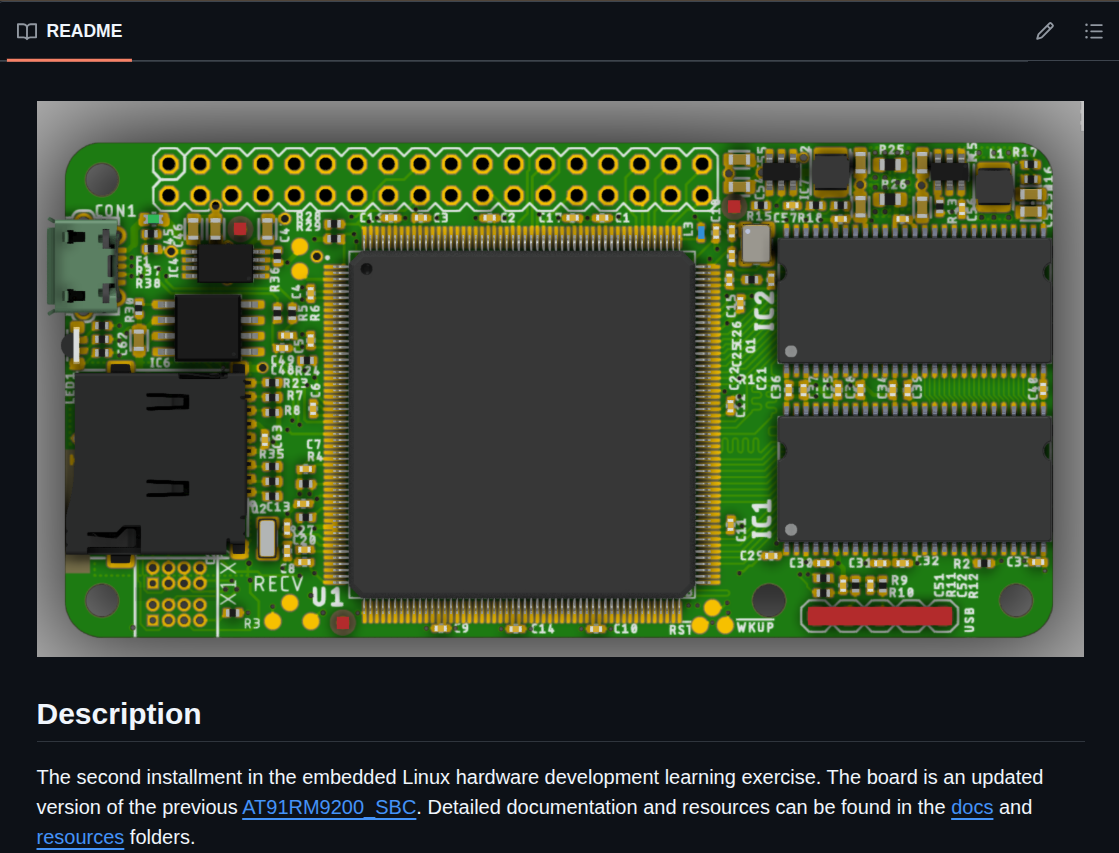
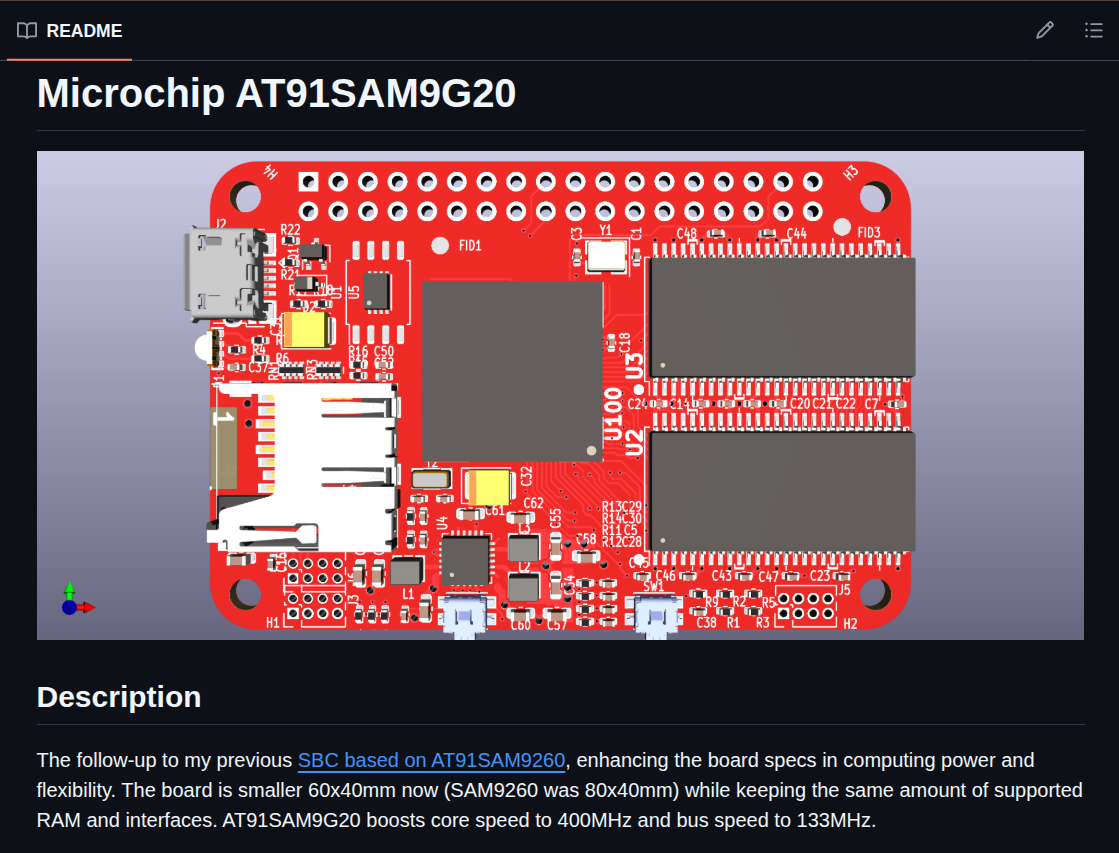
But the author has not finished the Microchip SAM9X60 SBC design; when I have time I plan to try routing a version and collaborate with the author :vv.
Oh, the SAM9X60 is a BGA package with the balls underneath, not QFN with pins on the edges, so it is harder to solder.
But I am still quite obsessed with drawing this board, and I will finish it in the near future. Something like mastering the hardware, then moving on to doing a complete BSP, bring-up from scratch :vv
3. Other options
Well, in reality there are many more mainstream boards
Such as the Raspberry Pi Zero, Zero 2W, or Orange Pi Zero 2w
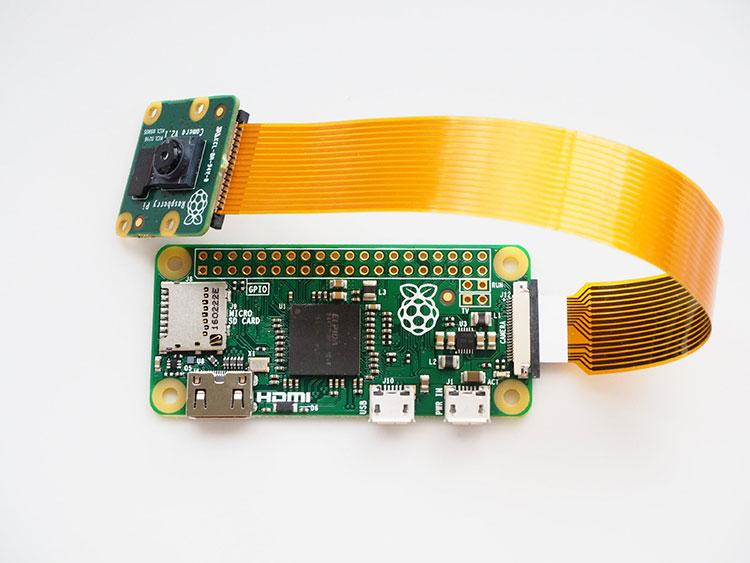
The prices are very reasonable too, but I still had my eye on even cheaper ones. If it is expensive, I have to dig really deep to make it worth the money.
The Pi line is very good for getting started, well suited to application-related work
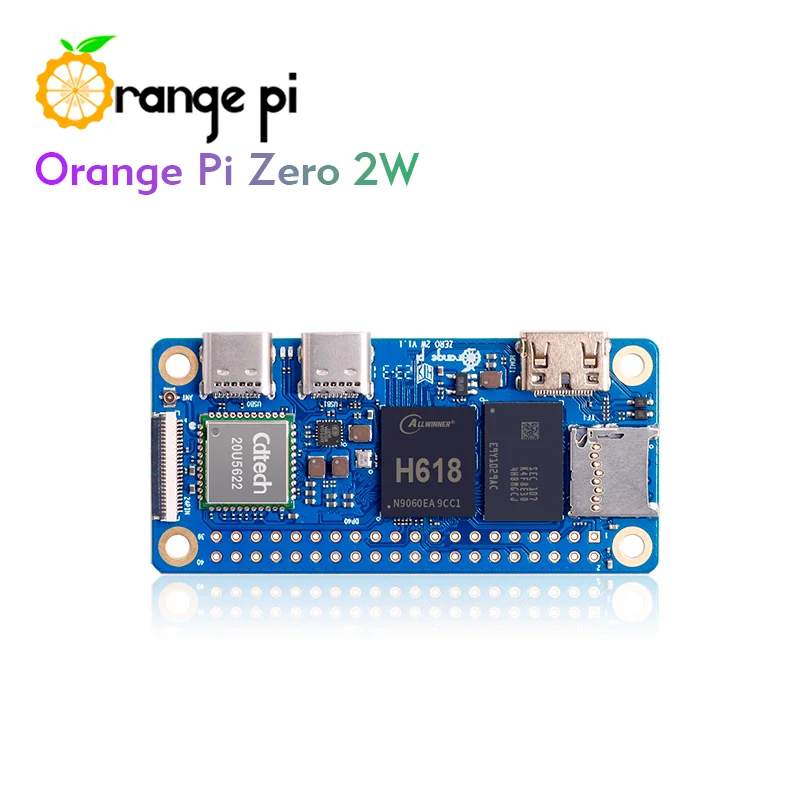
Same with the Orange Pi zero 2W; it is even more powerful, with options from 1Gb RAM up, and runs Android more smoothly. The only drawback is the lack of documentation; I once hit a wrong-colour display bug that took me 4 days to solve. And it was a truly absurd kind of bug. You can read more at [OrangePi] Fixing wrong colours on the MPI3501 3.5 inch TFT screen
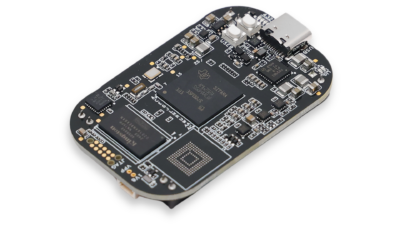
Oh, you could also look at an option similar to the BBB line, the Pocket Beagle 2 (I have not seen any shop importing it yet; you can order through Mouser). It costs half as much as a BBB. A better, newer chip, but fewer features overall. It is very new, and there are not many community posts yet
4. So, my final choice
I went back to the cheapest and easiest to buy option: the Lichee Pi Nano
I bought it on HShop for 175 thousand VND, very reasonable :vv
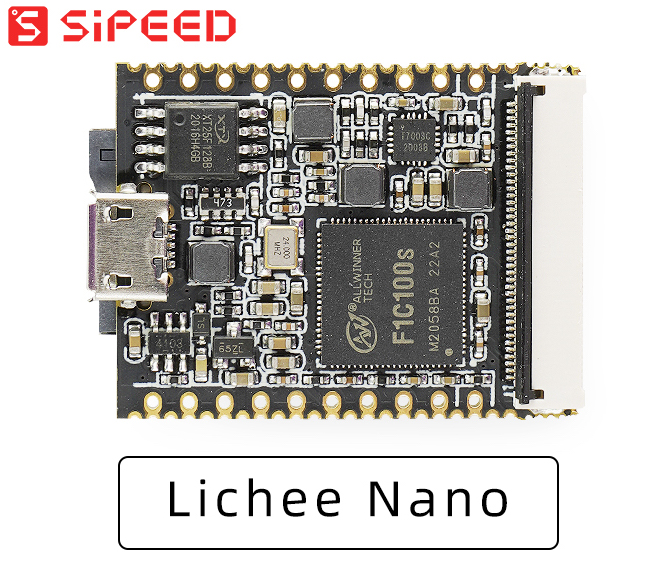
Now the only thing missing is documentation, and I went looking for it.
The biggest surprise was that when I searched for documentation I found a Vietnamese page :vv. What a shock~. It even has a Yocto guide and a ready-made Image. Thanks a lot to ninhnn2 at Fanning; you can read more here
I used ninhnn2's image directly, flashed it fine, and when the board came up I saw the following 2 problems, which I fixed one by one
4.1 Linux boot hangs
The full log is as follows
[    1.322592] Waiting for root device /dev/mmcblk0p2...
[    1.350249] mmc0: host does not support reading read-only switch, assuming write-enable
[    1.358711] mmc0: new SDHC card at address 0001
[    1.365339] mmcblk0: mmc0:0001 SD 7.44 GiB
[    1.375366]  mmcblk0: p1 p2
[    1.384697] panel-simple panel: panel supply power not found, using dummy regulator
[    1.433648] random: fast init done
[    1.440866] EXT4-fs (mmcblk0p2): mounted filesystem with ordered data mode. Opts: (null)
[    1.449320] VFS: Mounted root (ext4 filesystem) on device 179:2.
[    1.462488] devtmpfs: mounted
[    1.470172] Freeing unused kernel memory: 1024K
[    1.474975] Run /sbin/init as init process
[    2.254476] EXT4-fs (mmcblk0p2): re-mounted. Opts: (null)
[    7.524835] sunxi-mmc 1c0f000.mmc: data error, sending stop command
[    8.483964] sched: RT throttling activated
[    8.523989] sunxi-mmc 1c0f000.mmc: send stop command failed
[    8.533474] i2c i2c-0: mv64xxx: I2C bus locked, block: 1, time_left: 0
[   10.644166] i2c i2c-0: mv64xxx: I2C bus locked, block: 1, time_left: 0
[   12.724169] i2c i2c-0: mv64xxx: I2C bus locked, block: 1, time_left: 0
[   14.804165] i2c i2c-0: mv64xxx: I2C bus locked, block: 1, time_left: 0
[   16.884166] i2c i2c-0: mv64xxx: I2C bus locked, block: 1, time_left: 0
[   16.890808] ov2640 0-0030: Product ID error 92:92
[   31.844135] vcc3v0: disabling
[   31.847214] vcc5v0: disabling
"
The problem is that this image is meant for when the board is connected to an OV2640, but I don't have one plugged in, so we have to disable it in the Device Tree
I plugged the SD card back in and decompiled the DTB file
dtc -I dtb -O dts -o suniv-f1c100s-licheepi-nano.dts suniv-f1c100s-licheepi-nano.dtb
Then edited the following part
--- /tmp/original.dts   2026-04-12 22:38:30.868911191 +0700
+++ /home/zk47/Learning/licheepi-nano/suniv-f1c100s-licheepi-nano.dts   2026-04-12 21:05:20.099998282 +0700
@@ -673,7 +673,7 @@
                        resets = ;
                        pinctrl-names = "default";
                        pinctrl-0 = ;
-                       status = "okay";
+                       status = "disabled";
                        #address-cells = ;
                        #size-cells = ;

@@ -692,6 +692,7 @@
                        ctp@5d {
                                compatible = "goodix,gt911";
                                reg = ;
+                               status = "disabled";
                                interrupt-parent = ;
                                interrupts = ;
                                irq-gpios = ;
@@ -701,6 +702,7 @@
                        camera@30 {
                                compatible = "ovti,ov2640";
                                reg = ;
+                               status = "disabled";
                                pinctrl-0 = ;
                                pinctrl-names = "default";
                                clocks = ;
@@ -774,7 +776,7 @@
                        clocks = ;
                        clock-names = "bus\0isp\0ram";
                        resets = ;
-                       status = "okay";
+                       status = "disabled";
                        pinctrl-names = "default";
                        pinctrl-0 = ;
                        packed-format;
Basically it adds disable to the blocks that are not used, such as the camera and i2c
4.2 Bypassing the password
Next, the board boots and no longer hits that error, but this image has a password. Since I want to test the board, I try to bypass it. If anything in this part is not okay with you, Fanning, please contact me and I will change it right away :vv
The approach: I edit boot.scr in boot so that instead of going to the login screen it goes straight to /bin/sh. Then I set the password there
I create a boot.cmd file with the content
setenv bootargs console=tty0 console=ttyS0,115200 panic=5 rootwait root=/dev/mmcblk0p2 rw init=/bin/sh
load mmc 0:1 0x80C00000 suniv-f1c100s-licheepi-nano.dtb
load mmc 0:1 0x80008000 zImage
bootz 0x80008000 - 0x80C00000
Then use mkimage to rebuild boot.scr
mkimage -C none -A arm -T script -d boot.cmd boot.scr
Okay, copy this boot.scr back in and boot the board; now it goes straight into the shell and we set the password for root (when you are done, change the bootcmd back so it goes to the root login)
//Set a password for root
passwd root
sync
I wanted to check memory and disk, and got the following error,
/ # free
total        used        free      shared  buff/cache   available
Mem:   free: can't open '/proc/meminfo': No such file or directory
/ # df
Filesystem           1K-blocks      Used Available Use% Mounted on
df: /proc/mounts: No such file or directory
Because I forgot that since we boot straight into the shell, the pseudo filesystems are not mounted yet; mount them by hand (normally these mounts are in the init script)
mount -t proc proc /proc
mount -t sysfs sys /sys
Here are the board's specs; they are very limited
/ # df
Filesystem           1K-blocks      Used Available Use% Mounted on
/dev/root               164944      5796    146036   4% /
devtmpfs                 10820         0     10820   0% /dev
/ # free
              total        used        free      shared  buff/cache   available
Mem:          22664        5224       13944           0        3496       15408
Swap:             0           0           0
/ # uname -a
Linux (none) 5.4.77 #1 Sun Jul 25 12:26:13 +07 2021 armv5tejl GNU/Linux
5. Upcoming plans
Yocto-BBB has reached post 20, so I think I should move to another board for a bit more variety. If I stick with the BBB because it is easy, I sometimes end up following other people's guides too much and rarely digging into something truly new :vv
I plan to
- Bring mainline kernel support and Yocto Scarthgap to build for the board. Fanning currently uses the quite old Yocto Zeus, which I could not build the other day :vv. So there is something fun to dig into :vv
- Draw a circuit that boots linux and provide a BSP for it :vv (still very obsessed)
Today's post is quite long; I got carried away chatting :vv You can buy a Lichee Pi Nano and learn along with me, the more the merrier, and the price is affordable !! Hehe