Boards
Beaglebone Black
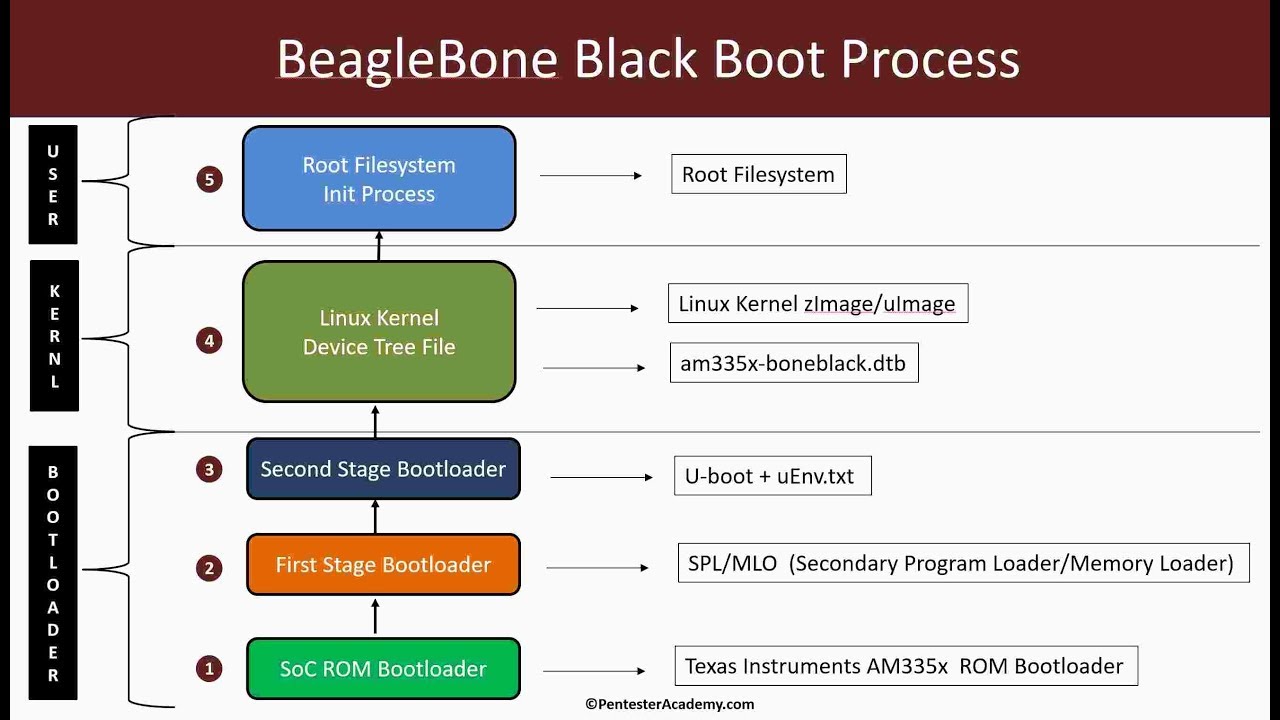
TI AM335x, the board I use most: Yocto, the boot chain from ROM code to rootfs, KGDB, Android 6.
Series on this board
 BBB-Linux4 postsSeries →
 Yocto-BBB21 postsSeries →
- 0[Yocto-BBB] 0. Theory, documents, and common commands in the Yocto series
- 1[Yocto-BBB] 1. Build a Beaglebone Black image with the Yocto Project
- 2[Yocto-BBB] 2. UART Debug Board and Bitbake Append
- 3[Yocto-BBB] 3. Adding a password for the user
- 4[Yocto-BBB] 4. Changing the Distro Description
- 5[Yocto-BBB] 5. Changing the banner after login
- 6[Yocto-BBB] 6. SSH into the board over Ethernet
- 7[Yocto-BBB] 7. Adding a driver for a USB wifi adapter
- 8[Yocto-BBB] 8. Connecting an SSD1306 0.96 inch OLED over I2C
- 9[Yocto-BBB] 9. Using devtool, creating patches and installing IPK files
- 10[Yocto-BBB] 10. Booting from eMMC
- 11[Yocto-BBB] 11. Transferring files over UART
- 12[Yocto-BBB] 12. Transferring files over TFTP
- 13[Yocto-BBB] 13. Building Weston, fixing input and dnd errors
- 14[Yocto-BBB] 14. X11 and RDP (Remote Desktop Protocol)
- 15[Yocto-BBB] 15. Changing the Boot Logo
- 16[Yocto-BBB] 16. Enabling ADB, SSH port forwarding
- 17[Yocto-BBB] 17. Installing Links-X11, browsing the web on core-image-sato
- 18[Yocto-BBB] 18. GDB debugging through recipe-sysroot
- 19[Yocto-BBB] 19. Sharing sstate to speed up builds
- 20[Yocto-BBB] 20. Building Yocto 6.0 Wrynose for the Beaglebone Black
Boot-BBB5 postsSeries →
- 1[Boot-BBB] 1. Build a cross compiler toolchain with crosstool-ng
- 2[Boot-BBB] 2. Compile U-boot and test MLO, u-boot.img
- 3[Boot-BBB] 3. Compile the Linux Kernel and configure u-boot automatically
- 4[Boot-BBB] 4. Create a root filesystem by hand with busybox
- 5[Boot-BBB] 5. Create a Beaglebone Black image with Buildroot